Change Log
This is to check your account activity.
Steps#
Click on your
ACCOUNTname at top-right corner to open account-level features.Click on
Change Log. Click on calender icons to select the ‘start date/time’ and ’end date/time’ and click on ‘Retrieve’.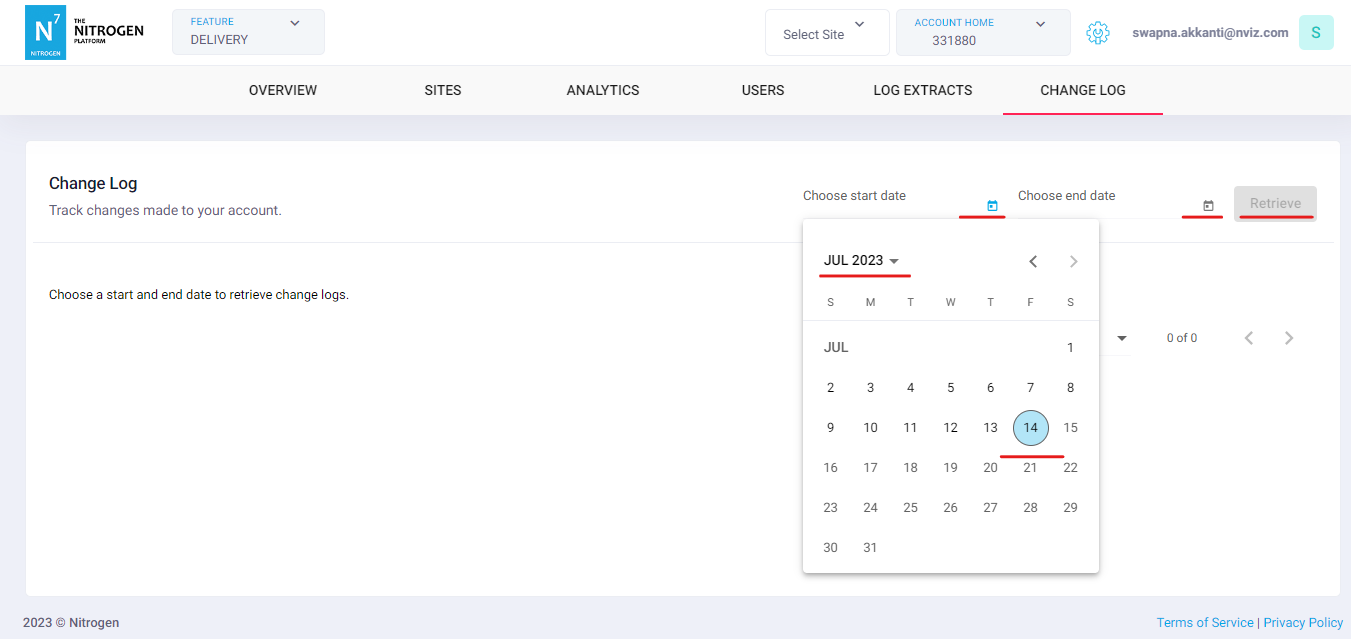
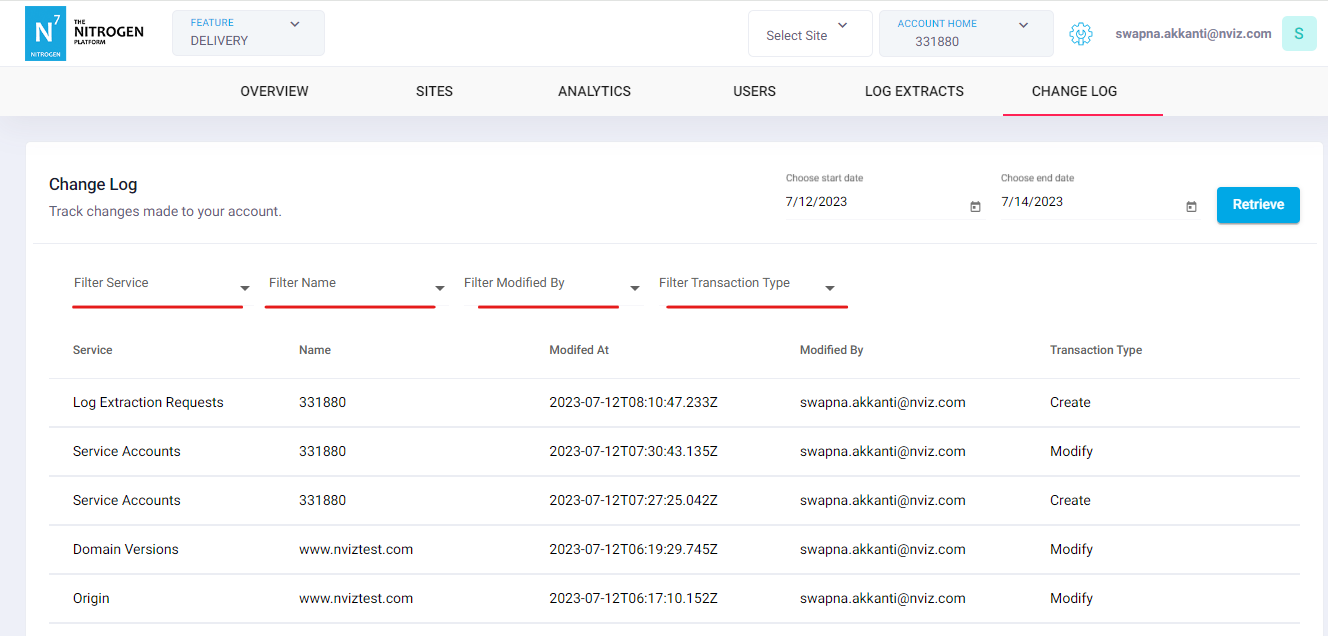
You will now see the change logs of your account. Note: You can use filters as shown in below screenshot.