
Domains listing page
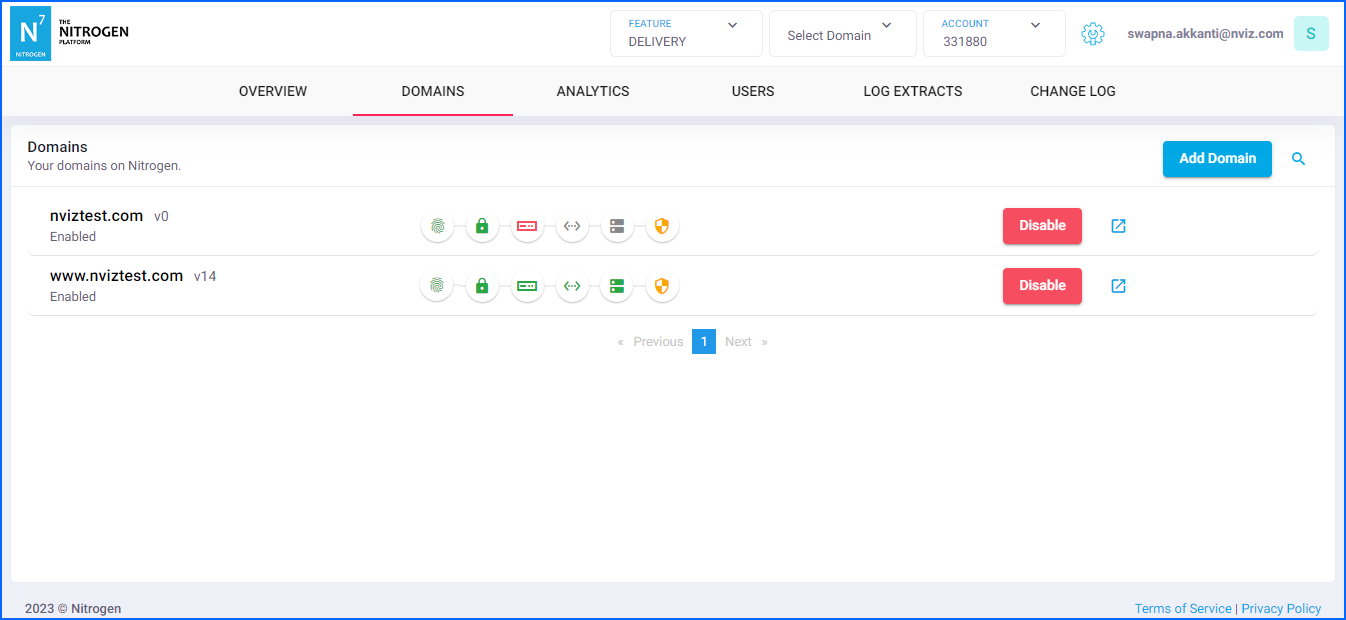
This screen will give you clear and current status of all the domains that you have configured on Nitrogen.
Prerequisite#
- You must have an account on Nitrogen
- You must have some domains registered on Nitrogen.
Steps#
Click on your
ACCOUNTname at top-right corner to open account-level features and then selectDOMAINStab. You will be shown a screen with list of all the domains registered on Nitrogen.Add Domain: Use this button to initiate new domain registration on Nitrogen.Domain name and version: The domain name and the version of its current configuration. If you click on the domain name, it will take you to Domain-details mode with routing/caching/security details specific to selected domain.View domain↗️ : If you click on this icon, you will be taken to Domain-details mode with routing/caching/security details specific to selected domain.Disable: Using this button you can stop all the traffic to your domain at the Nitrogen itself._acme-challenge-record: This icon denotes if you have maintained the site ownership validation CNAME at your end.SSL certificate configuration: This icon denotes if SSL certificate has been issued for your domain.Origin configuration: This icon denotes if you have configured origin for the domain and it is accessible.Nitrogen edge configuration: This icon denotes the versions of current and live configurations.DNS record for traffic: This icon denotes if your domain’s CNAME is pointed to Nitrogen or not.Web Application Firewall: This icon denotes if you have Nitrogen WAF enabled on the domain.
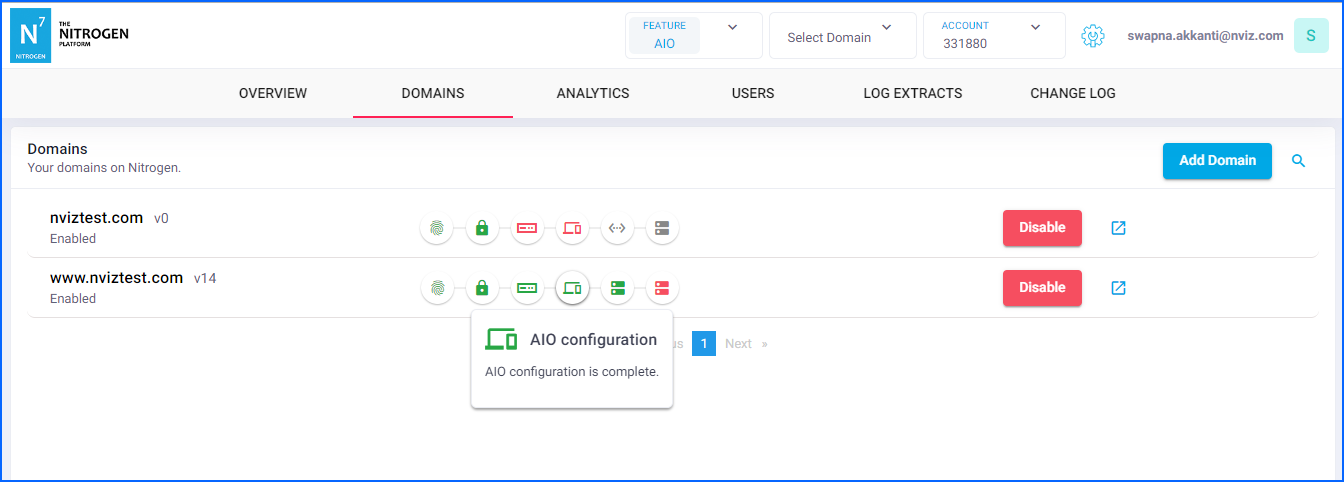
AIO configuration:[AIO specific]: This icon denotes AIO has been enabled on the domain.
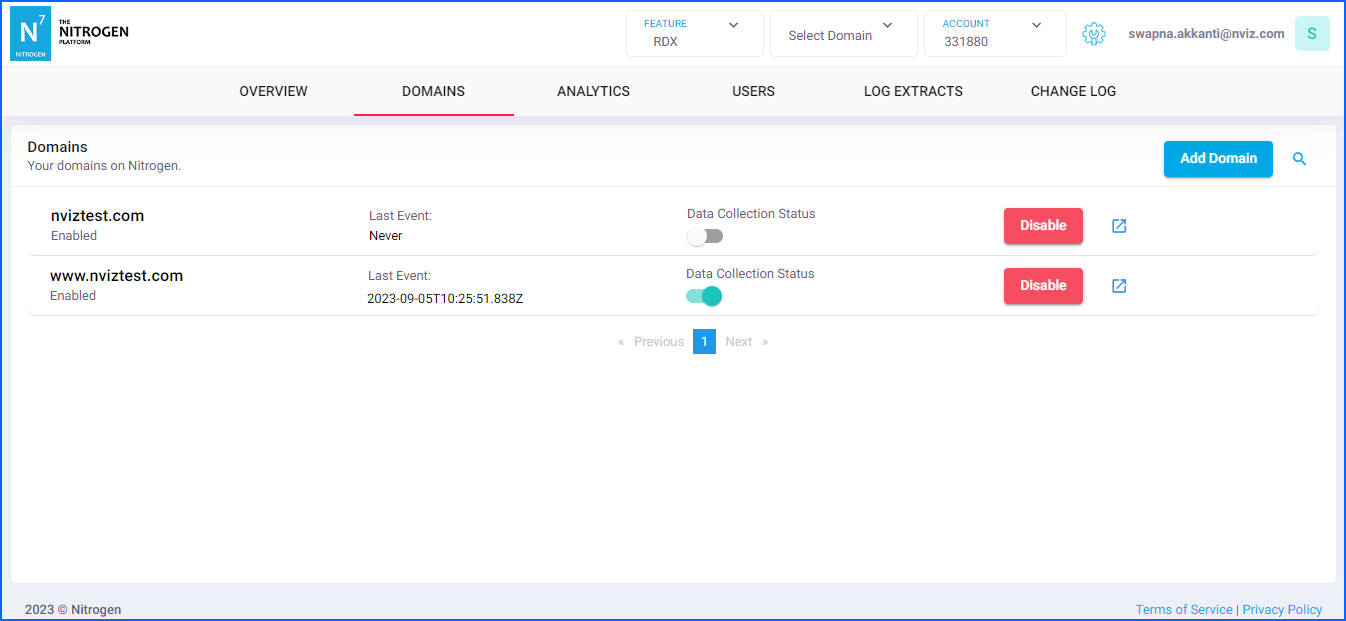
Data Collection Status:[RDX specific]: This switch denotes RDX is collecting the user events data.Last Event:[RDX specific]: This will show you the timestamp when the last event was received at RDX end.
Notes#
Status icons are color coded:
Red: There is some errorYellow: Not-applicable or not-optedGreen: Working fineGray: Status will update after completing the previous step
Hover over them to see the respective details.