Creating service accounts for programmatic access to Nitrogen APIs
You can integrate different Nitrogen APIs in your application, for which you need to have a service account.Follow these steps to create a service account.*Note: For demo purpose, we will be using www.nviztest.com domain as an example.
Prerequisite#
- You must have a domain configured on Nitrogen.
Steps#
Click on your
ACCOUNTname at top-right corner to open account-level features.Click on
Account Homemenu at top-right corner, then selectUserstab.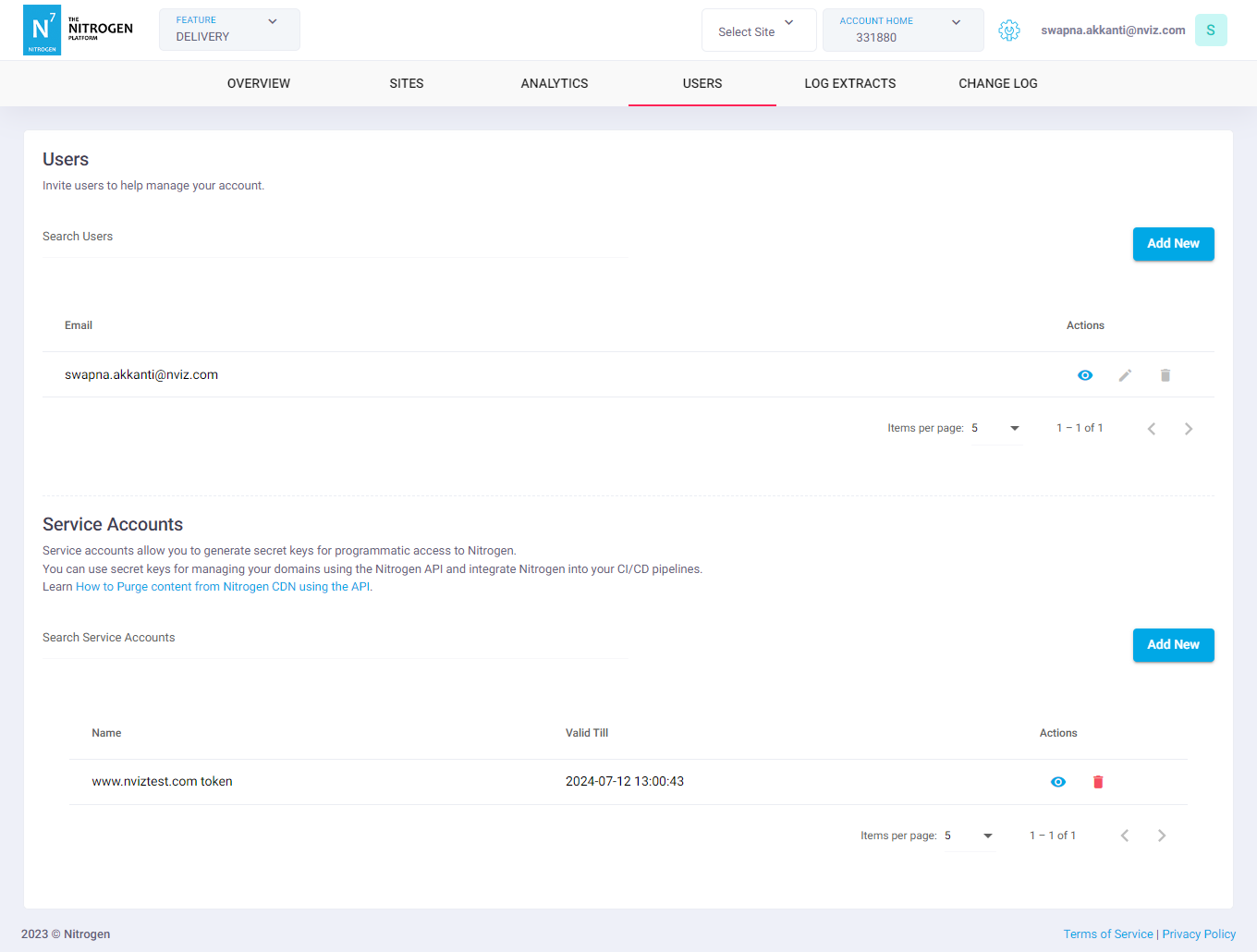
In the
Service accountssection, click onAdd Newbutton. This will take you to screen where ou can create a new Service Account.Provide respective details
Name: The name of the service account.Services: Select appropriate accesses this account will be having on the shown domains.No Access: No access to the selected domain.Viewer: Read-only access to the selected domain.Editor: Edit access to the selected domain.
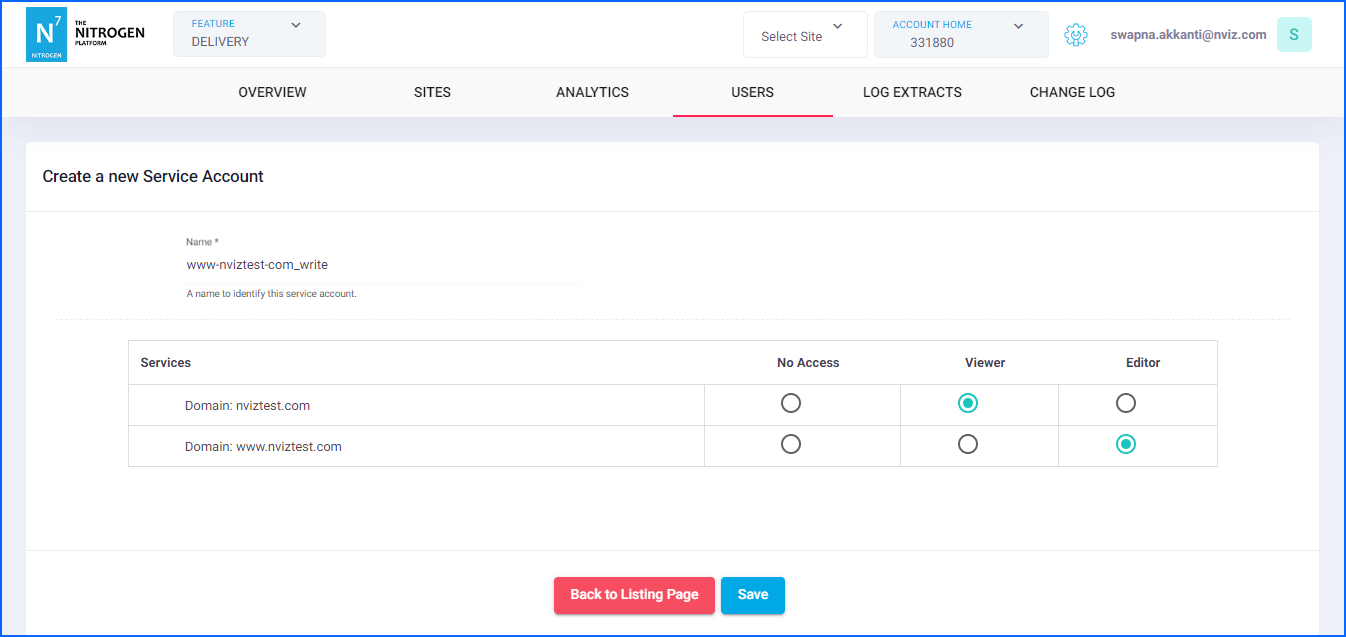
Click on
Savebutton. You will see a screen with API-key for the selected access per domain. Please save it somewhere safe.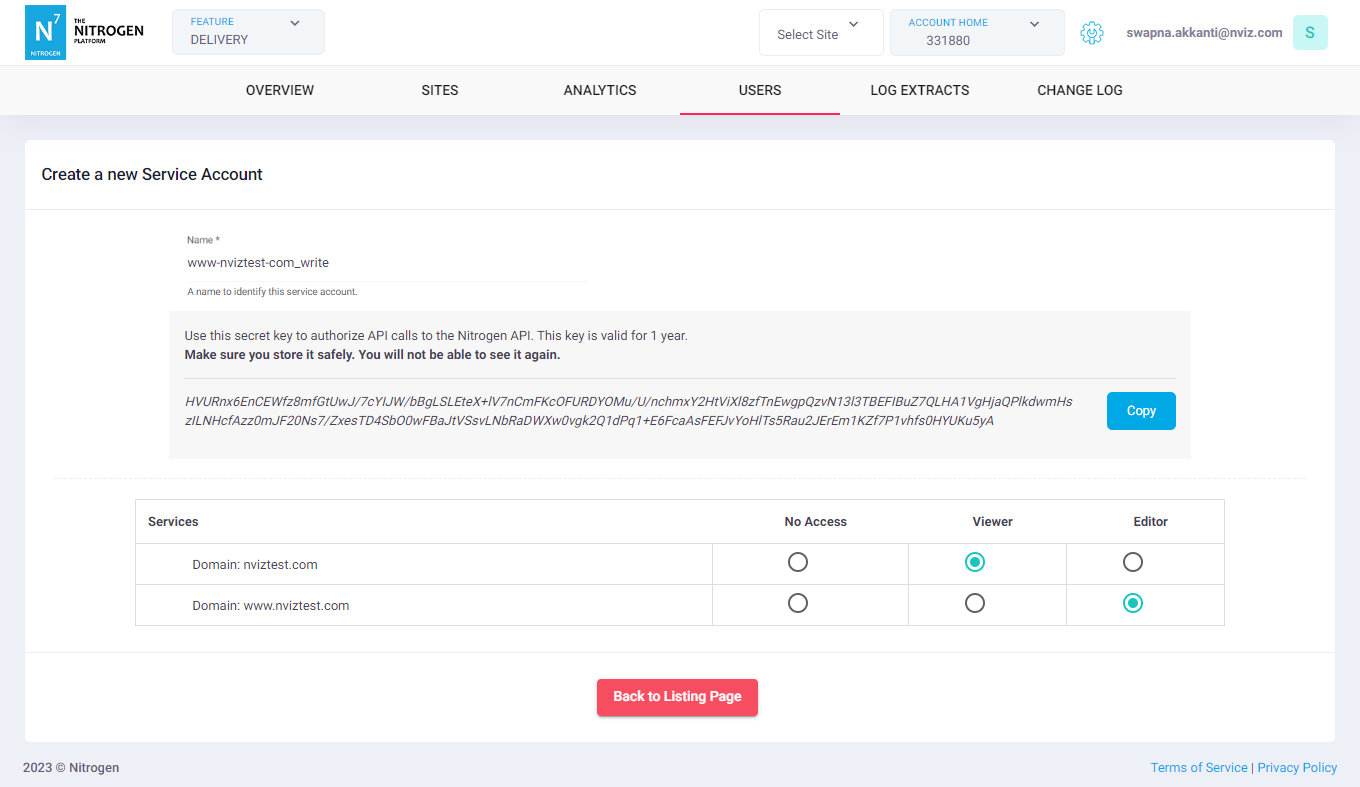
Given key is valid for the 1 year from the creation. You can see the expiration date on previous listing page.
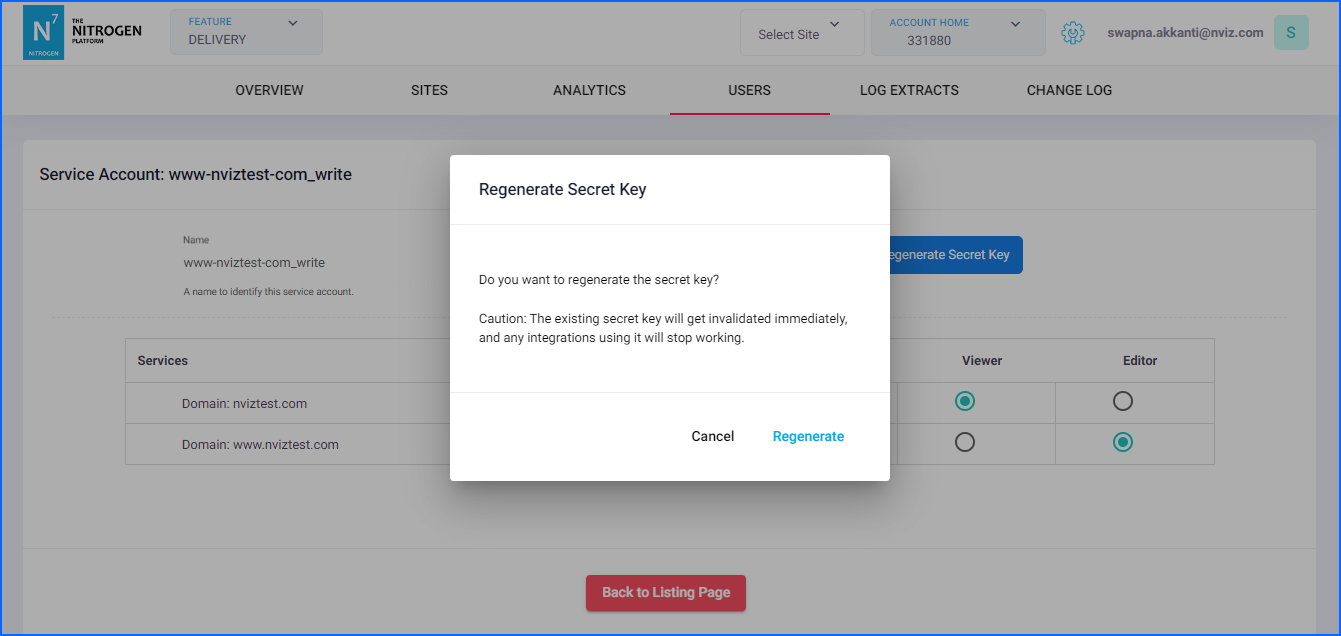
If the key gets expired, click on
Regeneratebutton to issue the new one.
Note: Regenerating the key will deactivate the existing key.