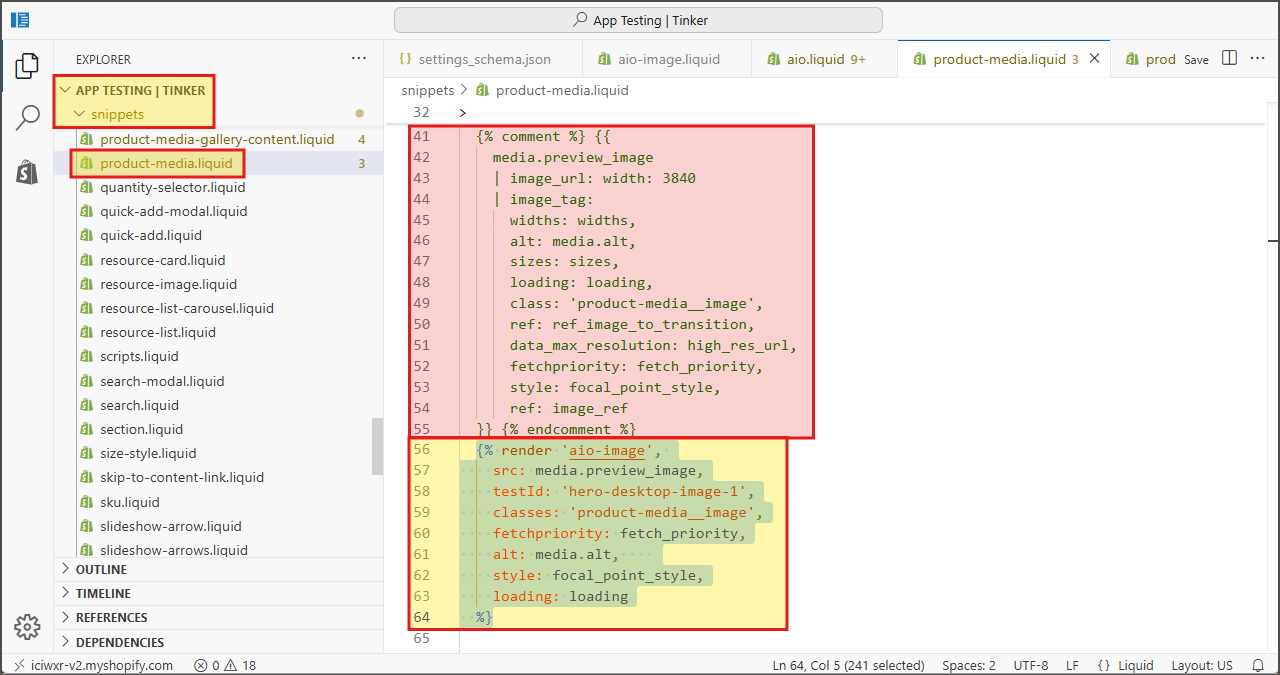
Integration on Shopify
This documentation explains how to update Shopify end configuration to proxy image requests to N7 AIO.
Prerequisites#
- You should have access to Shopify admin portal (admin.shopify.com )
- You should have a Nitrogen AIO endpoint available - which should be like
someuniquehash.static.n7.io. If you have not received it - check with the Nitrogen POC person in contact with you, OR mail to support@n7.io .
Steps#
Creating AIO settings#
- Open https://admin.shopify.com/
- Go to
Sales channels > Online store themes > Themesmenu from left side.Edit code for your current theme by clicking on...menu and then clickingEdit codemenu.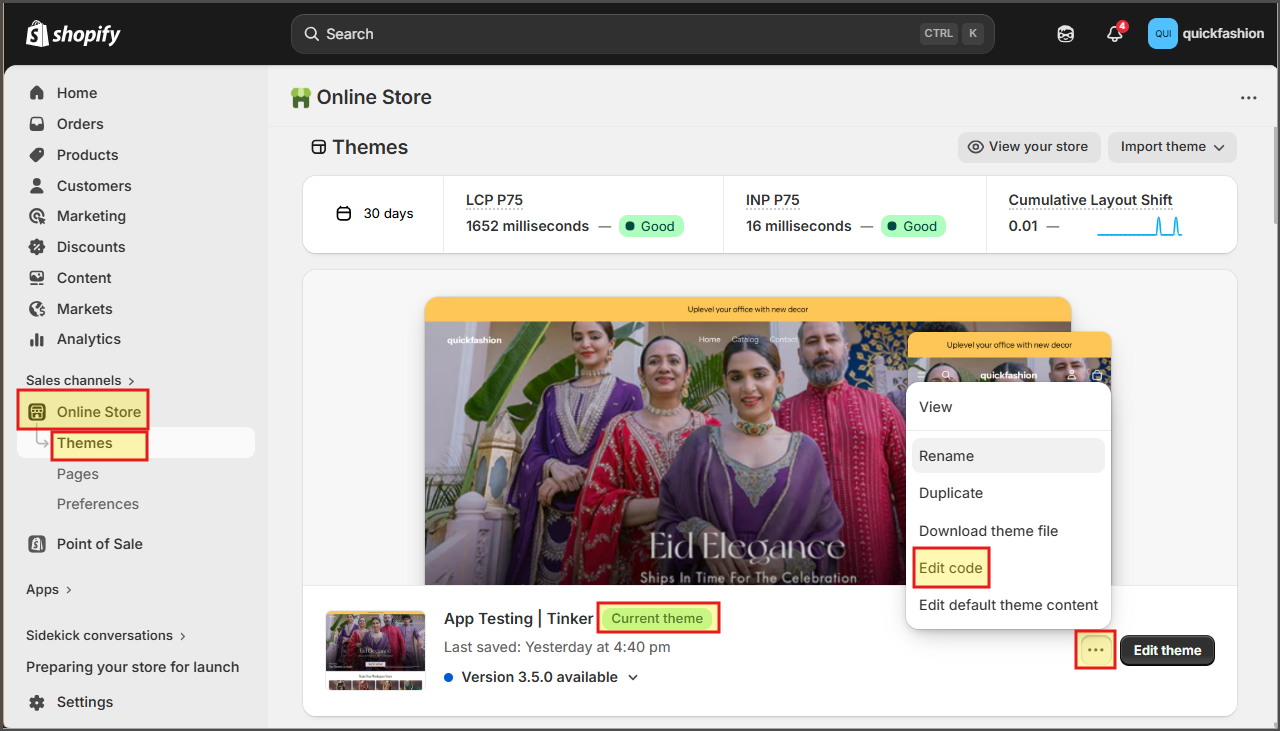
- Select
configfolder and then opensettings_schema.jsonfile.Then add our AIO setting from this file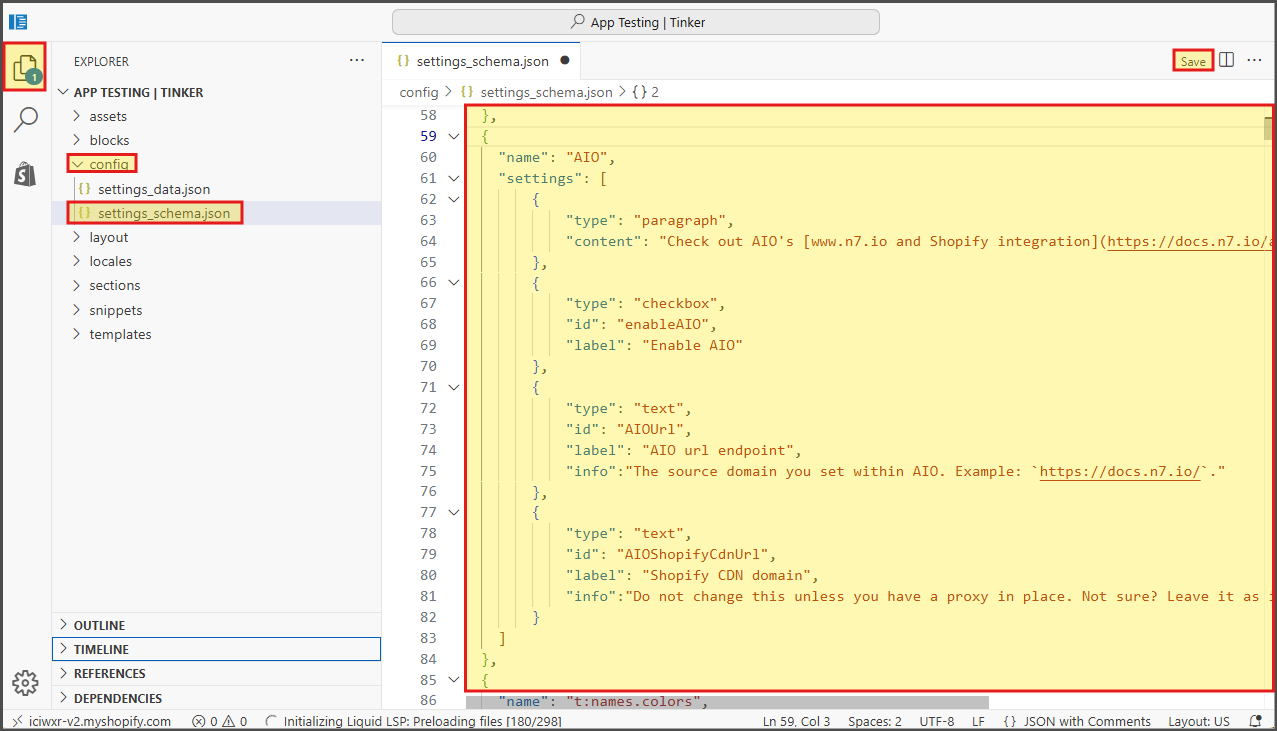
- Now select
Snippetsfolder, and copy aio-image.liquid file to it.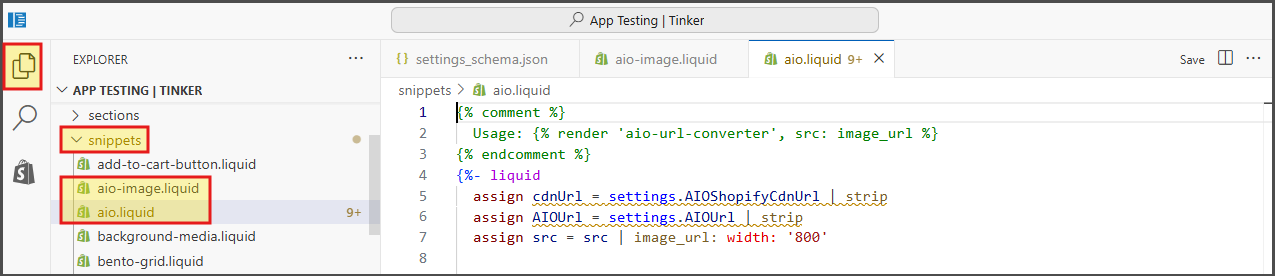
Configuring AIO#
- Open https://admin.shopify.com/
- Go to
Sales channels > Online store themes > Themesmenu from left side.Click onEdit themebutton next to yourCurrent themementioned there.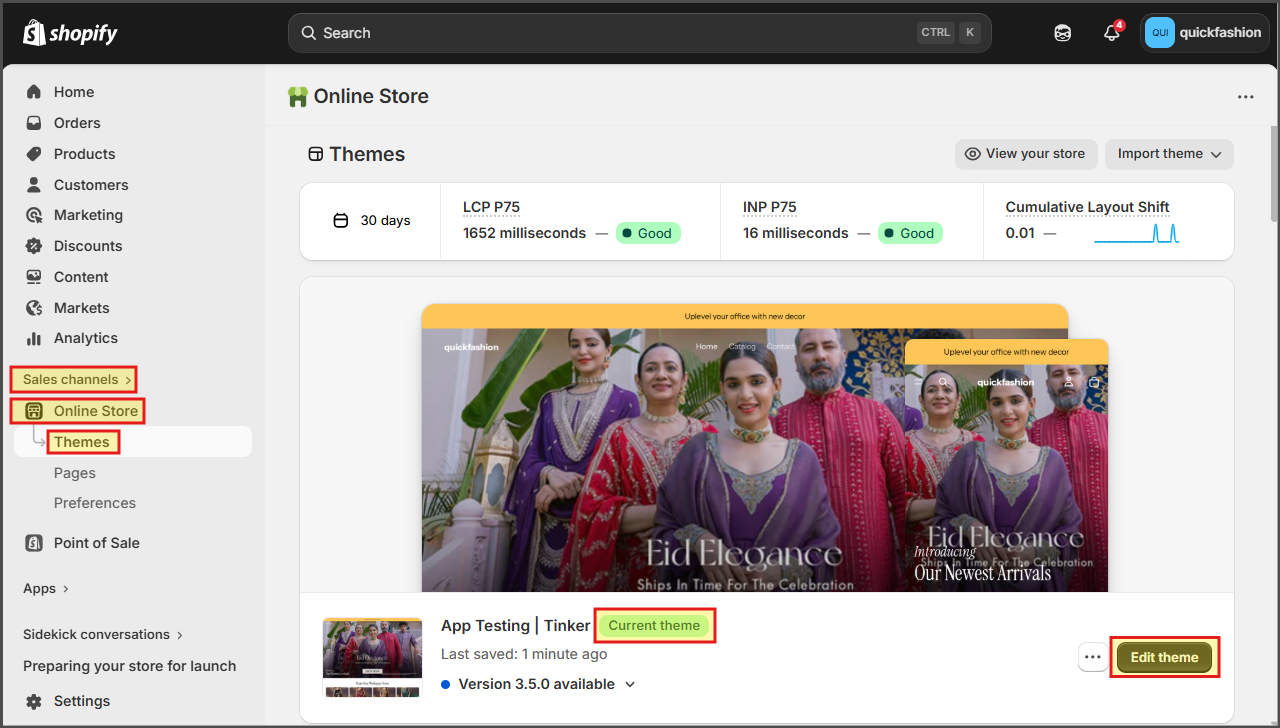
- Click on
settingsmenu at top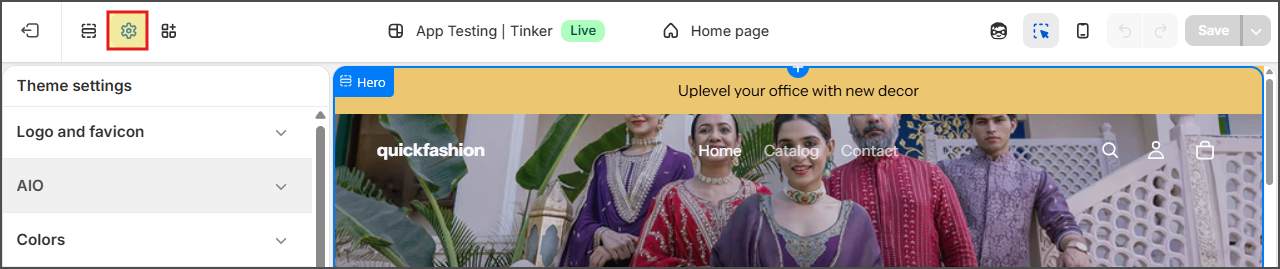
- Go to
AIOmenu, and enable it. Then add the AIO endpoint shared with you, and your current image domain name.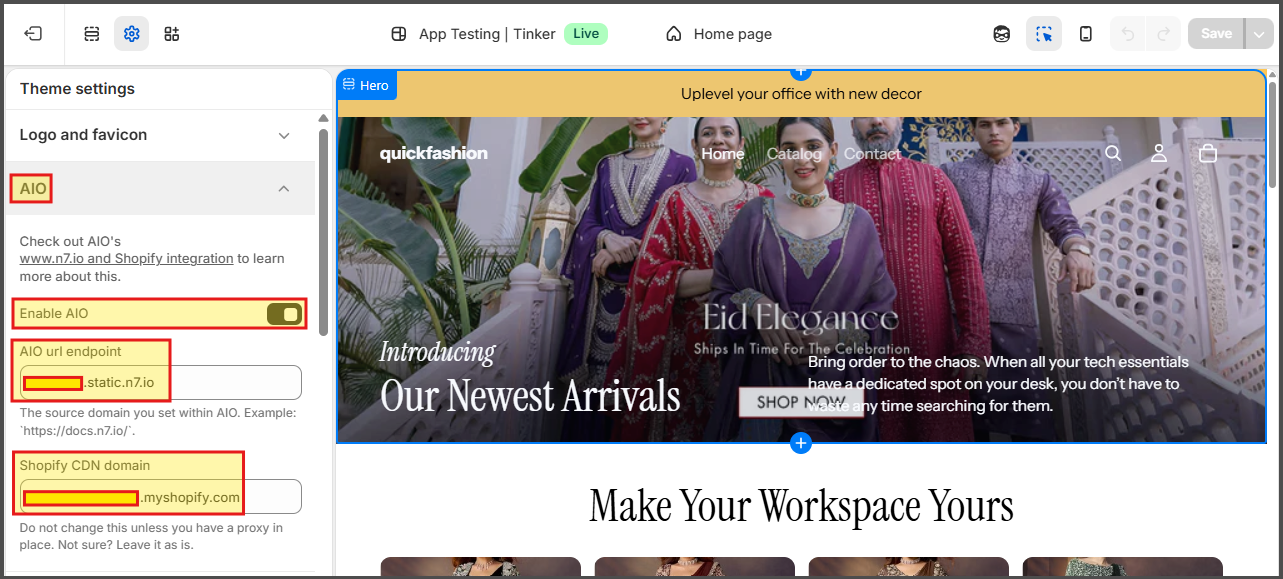
Using AIO#
- Open https://admin.shopify.com/
- Go to
Sales channels > Online store themes > Themesmenu from left side.Edit code for your current theme by clicking on...menu and then clickingEdit codemenu. - Now, in all the liquid files where you have added images, you need to replace the current
imagetags withaio-imagetags with respective settings.You can find example in this file