Integration on Shopify
This documentation explains how to update Shopify end configuration to proxy video requests to N7 AVO.
Prerequisites#
- You should have access to Shopify admin portal (admin.shopify.com )
- You should have a Nitrogen AVO endpoint available. If you have not received it - check with the Nitrogen POC person in contact with you, OR mail to support@n7.io .
Steps#
Creating AVO settings#
- Open https://admin.shopify.com/
- Go to
Sales channels > Online storemenu from left side.Edit code for your current theme by clicking on...menu and then clickingEdit codemenu.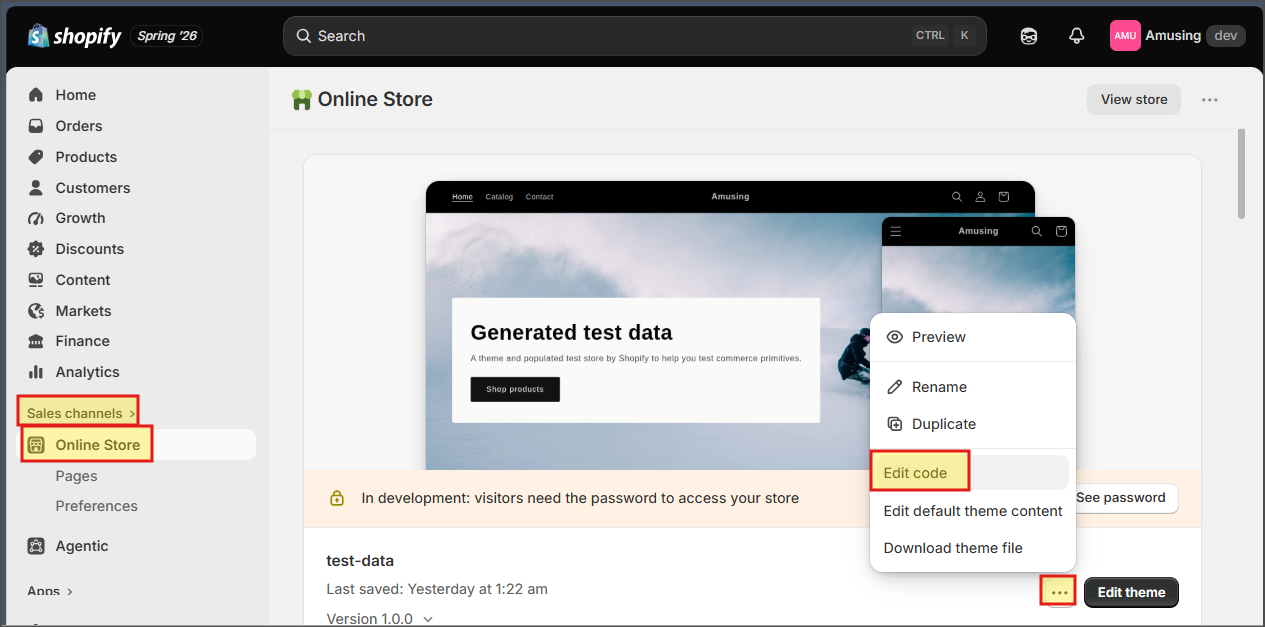
- Select
configfolder and then opensettings_schema.jsonfile.Then add our AVO setting from this file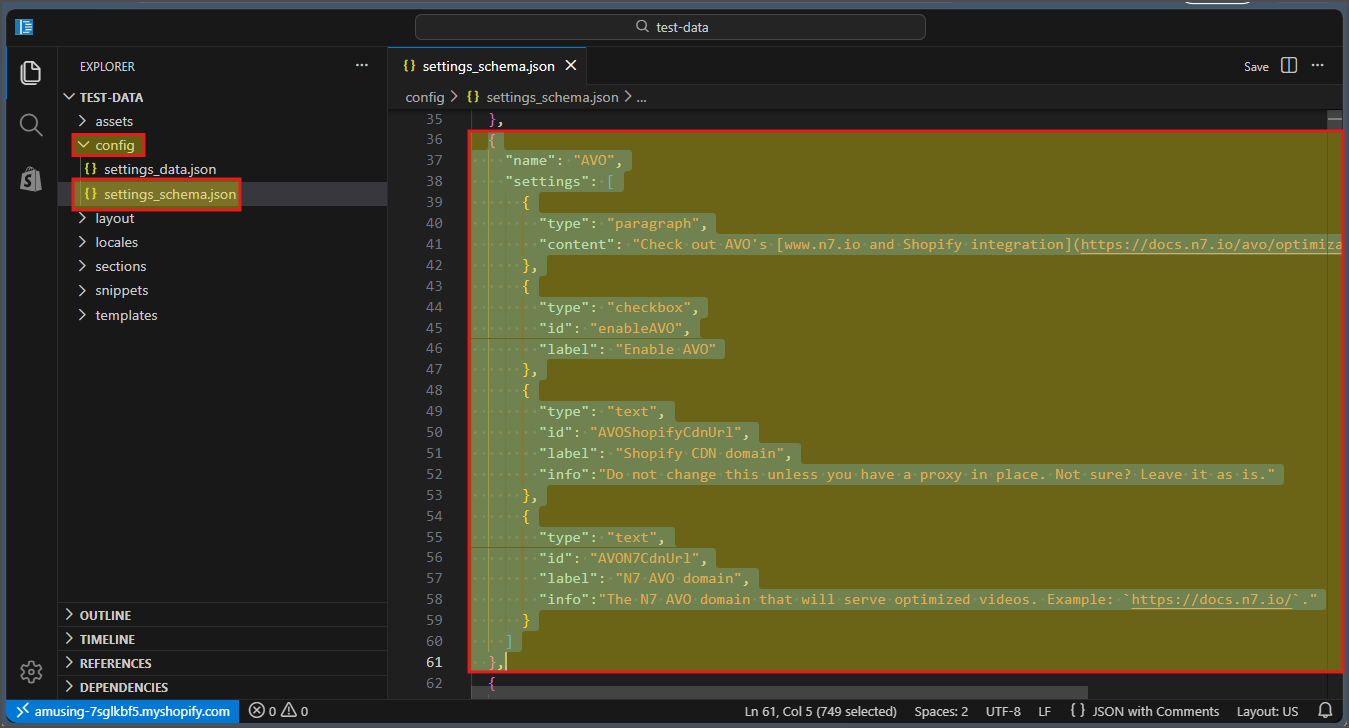
- Now select
Snippetsfolder, and copy avo-video.liquid file to it.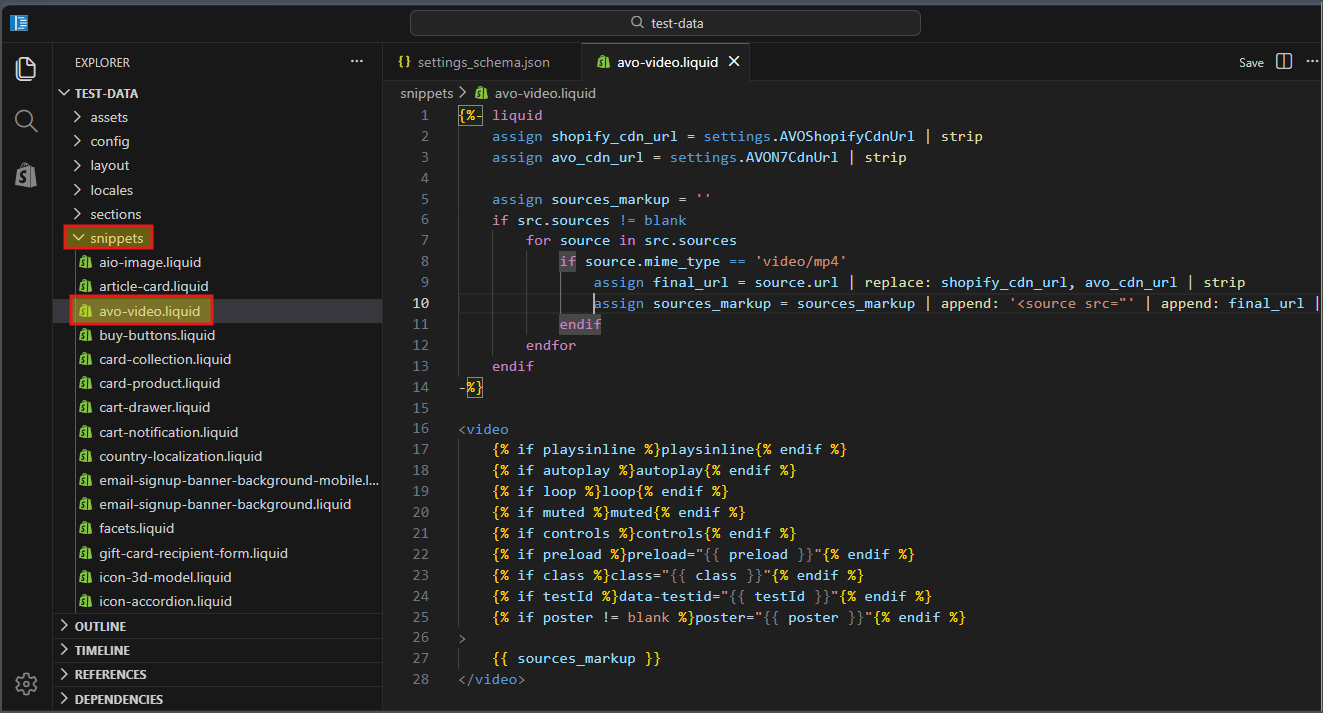
Configuring AVO#
- Open https://admin.shopify.com/
- Go to
Sales channels > Online storemenu from left side.Click onEdit themebutton next to yourCurrent themementioned there.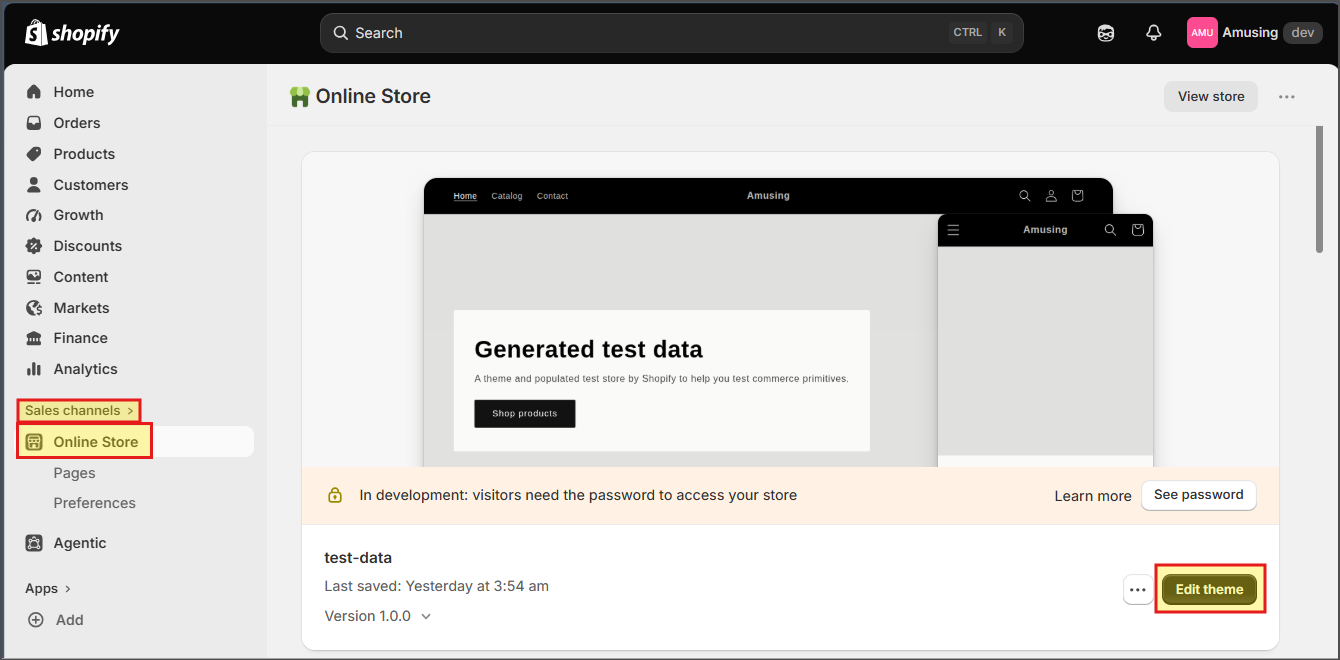
- Click on
settingsmenu at top
- Go to
AVOmenu, and enable it. Then add the AVO endpoint shared with you, and your current video domain name.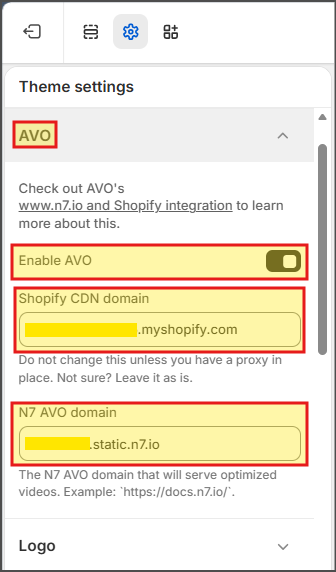
Using AVO#
- Open https://admin.shopify.com/
- Go to
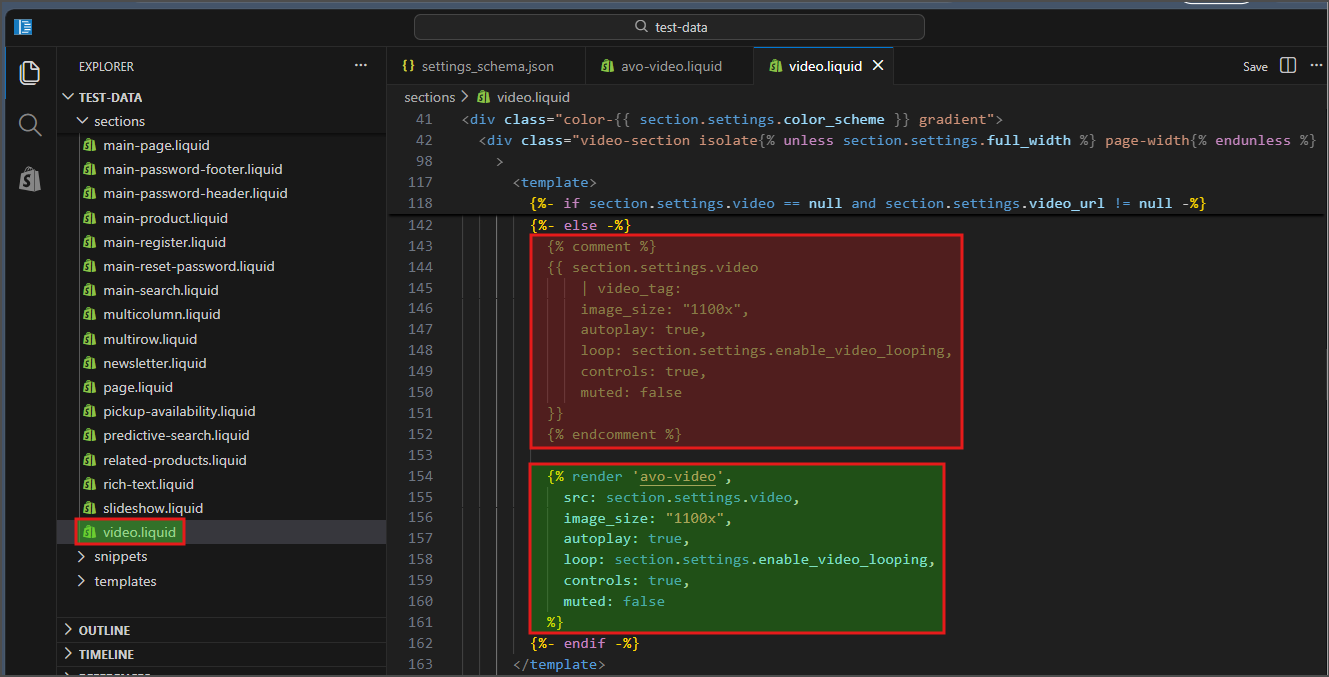
Sales channels > Online storemenu from left side.Edit code for your current theme by clicking on...menu and then clickingEdit codemenu. - Now, in all the liquid files where you have added videos, you need to replace the current
videotags withavo-videotags with respective settings.You can find example in this file