
Maintenance page
Refer this page to show maintenance page to users. You can use during your deployment/infra-upgrade activities.*Note: For demo purpose, we will be using www.nviztest.com domain as an example.
Prerequisite#
- You must have a domain configured on Nitrogen.
- You must have a maintenance image/file uploaded on Nitrogen. Refer this article for the same.
Steps#
Click on
Domainsmenu, then selectMaintenance Pagetab. Select appropriate domain from the domains dropdown.You will be shown to a screen choose the static file to be shown to users.Provide the required details:
Enable Maintenance Page: Switch it on when you want to show the page.Maintenance File Path: Select the uploaded static-file from the dropdown to be shown on desktop devices.Maintenance File Path For Smartphone: Select the uploaded static-file from the dropdown to be shown on mobile devices.Note: You can also use same file on Desktop and Mobiles.Excluded Paths: Enter the URLs that are not to be responded with maintenance page.e.g. any css/image files referred in the maintenance page, admin panel URLs etc.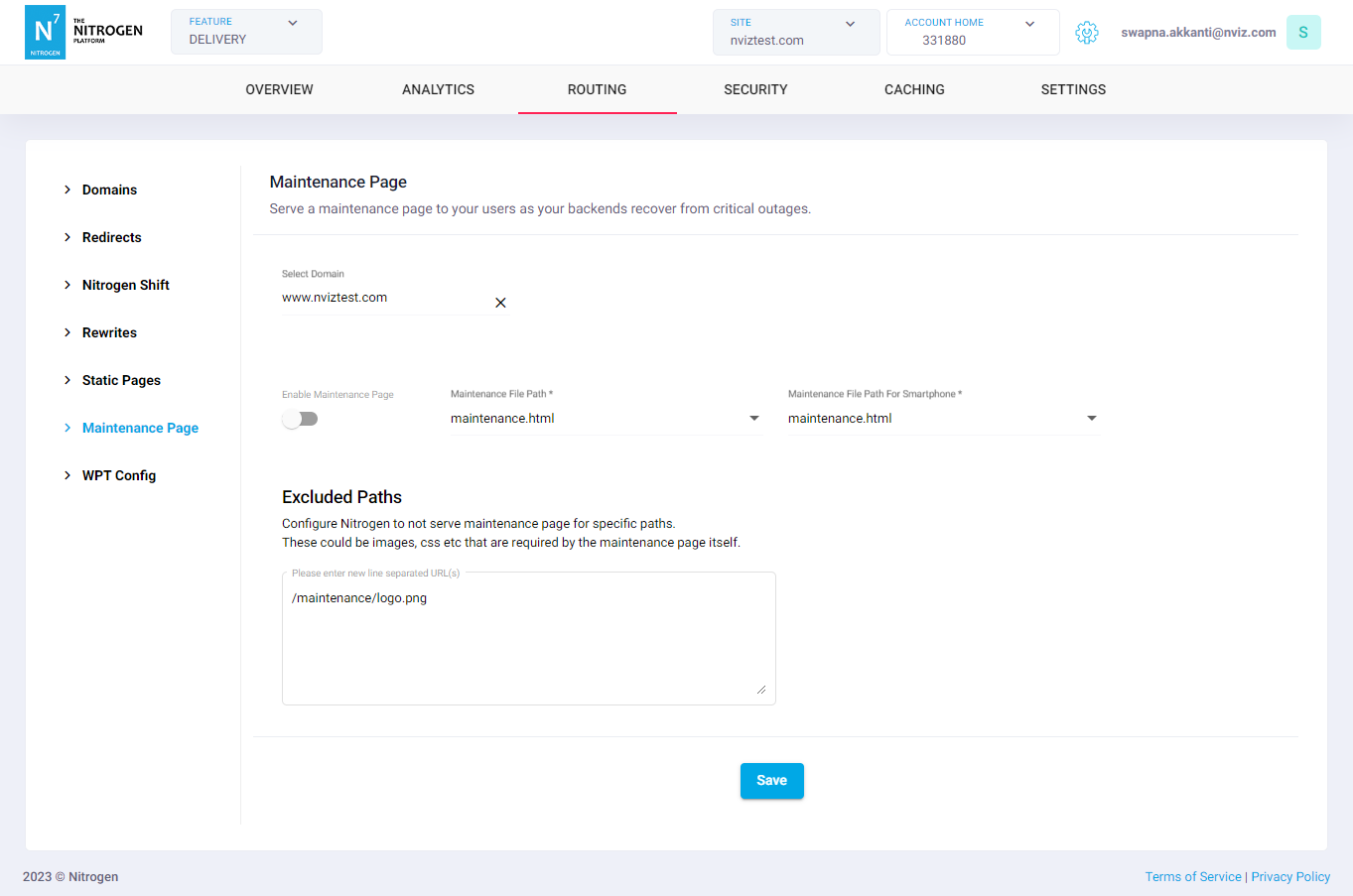
Click on
Savebutton.