
Redirects
Refer this page to configure redirections for your domain requests.Typical use-case is, you would want to set country based redirections.Note: For demo purpose, we will be using www.nviztest.com domain as an example.Here, we will be redirecting all requests from US to /us/*
Prerequisite#
- You must have a domain configured on Nitrogen.
- You must have a country-based condition configured. Refer guide for it.
Steps#
Click on
Domainsmenu, then selectRedirectstab. Select appropriate domain from the domains dropdown.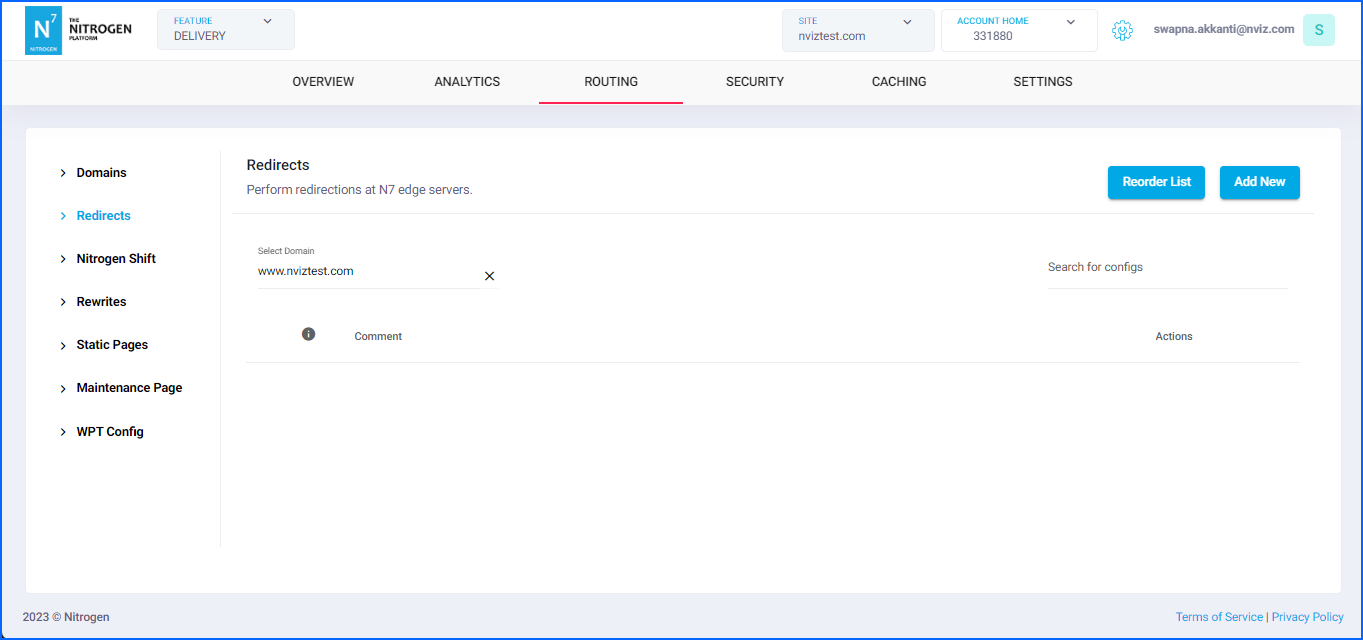
Click on
Add Newbutton at top right corner.You will be taken to a screen to provide redirection details.Provide the required details:
Comment: Provide short detail about the redirection.Note: Please keep the comment meaningful and relevant.Condition Type: We can configure redirection based on multiple conditions.e.g. URL-pattern, request-header, request-user’s origin-country, device-type, cookieSelectCOUNTRYfrom the dropdown for now.Check: Select either matches or not matches as per your requirement.We will select matches here.Condition value to match: Select the required condition you had created inCountry condition.SelectUSfor this example’s need.So now the condition for this redirection is
Redirect when COUNTRY-matches-US.Note: You can add multiple conditions as per your need, by clicking+Andbutton.Status Code: Select the status code for this redirection.e.g. 301 (Permanent redirection), 302 (Temporary redirection) etc.Source URL: It specifies the regex pattern for the request URL. It supports regex-groups as well.Enter^/(.*)for now.Destination Domain: It specifies the domain to which the request is to be redirected.By default the current domain is populated. You can change it as per your needLeave it as is as per this example.Destination URL: It specifies the regex pattern for the final request URL that will be redirected to. We can use the regex groups matched in source pattern here.We will be putting/us/$1here. So that anything coming in the first regex-group in source pattern, will be prefixed withn7e.g.Simple homepage request from US will be redirected to/us/And, homepage request with any querystring like/?search_term=newwill get redirected to/us/?search_term=newSimilarly, any other request like/new-arrivalswill get redirected to/us/new-arrivals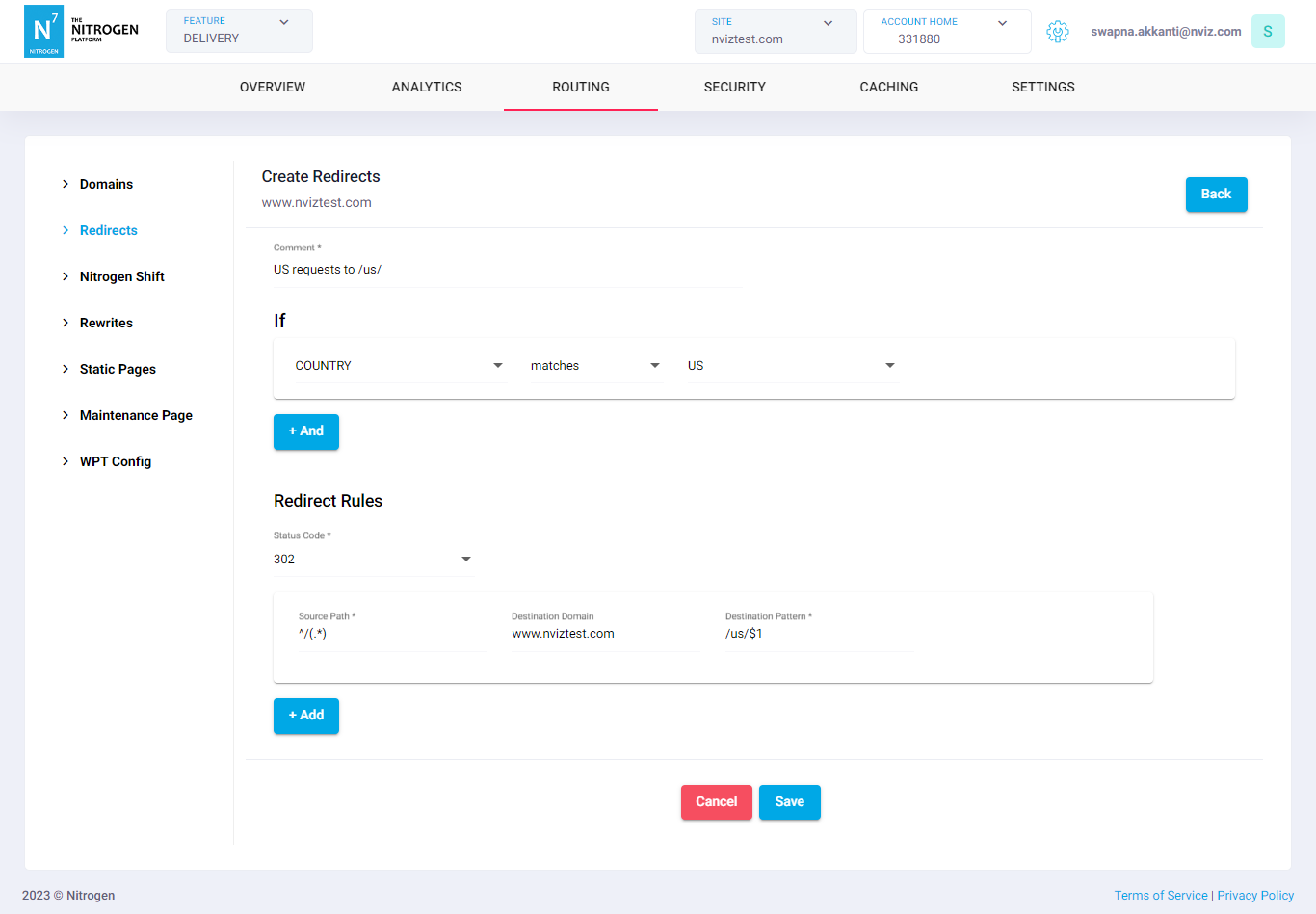
*Note: You can also set multiple redirections those match given condition, by clicking
+Andbutton.
e.g.
Redirect some URLs to their global pages./return-policy(\?.*)*>/global-return-policy$1/store-locations(\?.*)*>/global-store-locations$1
Redirect everything else to their regional pages.^/(.*)>/us/$1
Note: the first matched source pattern will be applied for redirections. Therefore, the ordering of the rules is of utmost importance.Click on
Savebutton. The configured rule will be showed inRedirectslist.
Notes#
You can add a certain number of redirections depending upon your plan. For adding more, you can use Shift - Bulk redirections facility. Though, you cannot see/manage them from UI.
Though, the redirections set using
Shifthave less priority than these redirections. So please manage them accordingly.The order of patterns is of utmost importance. The first matched rule gets applied. So, please manage it accordingly.
Please purge the source-URL if it’s cached. Else, response will be served from cache instead of getting redirected.
Any rule when added, gets placed at the bottom. Use reorder to place it as per need.
These changes will only take effect when deployed. Saving them will only be saving them in draft. Please refer documentation about Deploy process for it.
Use Nitrogen debug header to identify which rule is getting applied to resource.
Only 3 conditions allowed for the redirection rules.
A
COOKIEcondition used in a redirection rule must not have thematch if not presentflag set. Saving such a rule is rejected, asking you to use a COOKIE condition without that flag. Refer Cookie for creating cookie conditions.