
Rewrites
Refer this page to configure proxies for your domain requests. This feature is useful when you wish to keep request URL same but change the underlying handling endpoint.Note: For demo purpose, we will be using www.nviztest.com domain as an example.Here, we will be rewriting all requests to add n7- as a prefix before sending them to server, and for homepage we will add n7 as a prefix
Prerequisite#
- You must have a domain configured on Nitrogen
Steps#
Click on
Domainsmenu, then selectRewritestab. Select appropriate domain from the domains dropdown.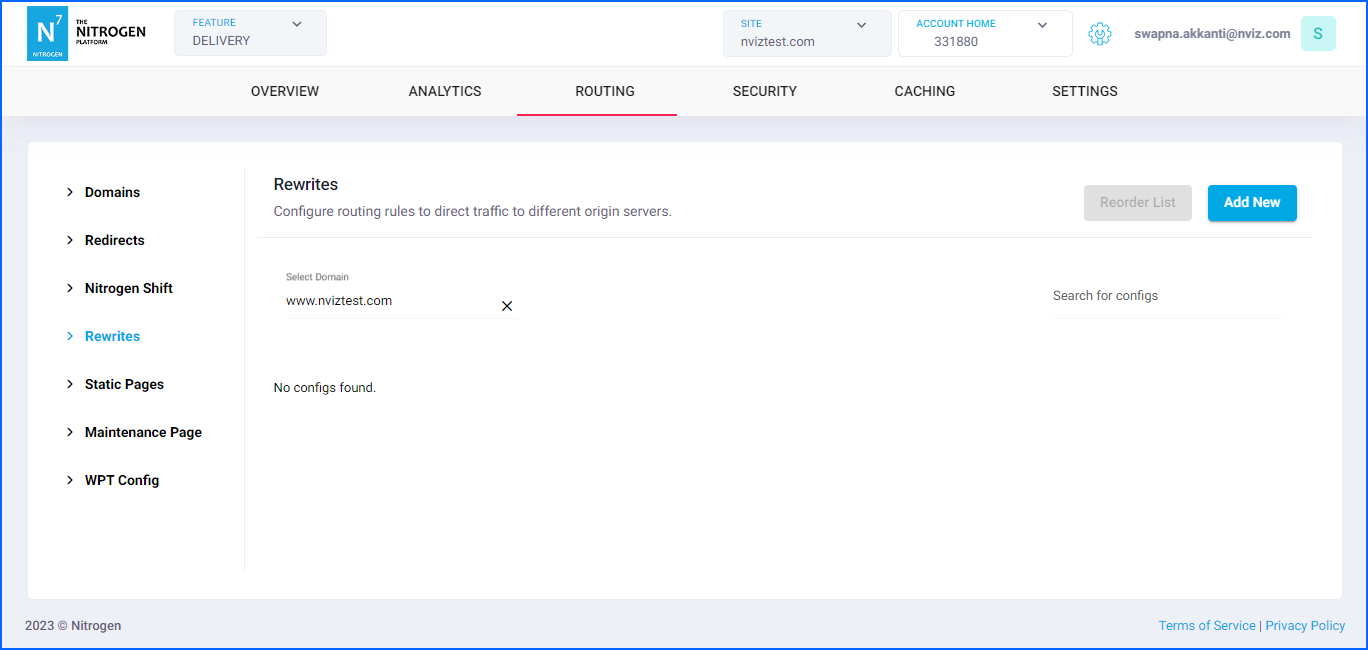
Click on
Add Newbutton at top right corner.You will be taken to a screen to provide rewrite details.Provide the required details:
Comment: Provide short detail about the rewrite.Note: Please keep the comment meaningful and relevant.Rewrite Condition Type: We can configure rewrite based on multiple conditions.e.g. URL-pattern, HTTP-method, request-header, cookie, request-user’s origin-country, request-IP, request-user’s device-type, request’s user-agentSelectPATTERNfor now.
Note: You can add multiple conditions as per your need, by clicking+Addbutton.PATTERN VALUE: The URL-Pattern for which this rewrite will be applied.By default there will be few patterns available. SelectAll URLsfor now.Origin: The origin endpoint where the requests are to be proxied.We will be selecting defaultwww-originfor now.DOM Optimization: Ignore this switch for now. It Passes the request to DXA module that optimizes the HTML content to speed up page load.Source URL: It specifies the regex pattern for the request URL. It supports regex-groups as well.We will be putting^/(\?.*)*$here, to match homepage URL.If nothing is specified, the request is proxied as-it-is to the selected origin.Destination URL: It specifies the regex pattern for the final request URL that will be proxied to th selected origin. We can use the regex groups matched in source pattern here.We will be putting/n7$1here. So that anything coming in the first regex-group in source pattern, will be prefixed withn7e.g.Simple homepage request will be proxied as/n7And, homepage request with any querystring like/?lang=enwill get proxied as/n7?lang=enTo configure proxy for requests for other pages we will need to add another rewrite rule. Click on
+Add Rewrite Rule.Simply putSource URLvalue as/(.+)andDestination URLvalue as/n7-$1So now, any other request (other than homepage) will be prefixed withn7-and querystring will be appended as it is. e.g./saleswill be proxied as/n7-sales/sales?lang=enwill be proxied as/n7-sales?lang=enNote: the first matched source pattern will be applied for proxying. Therefore, the ordering of the rules is of utmost importance.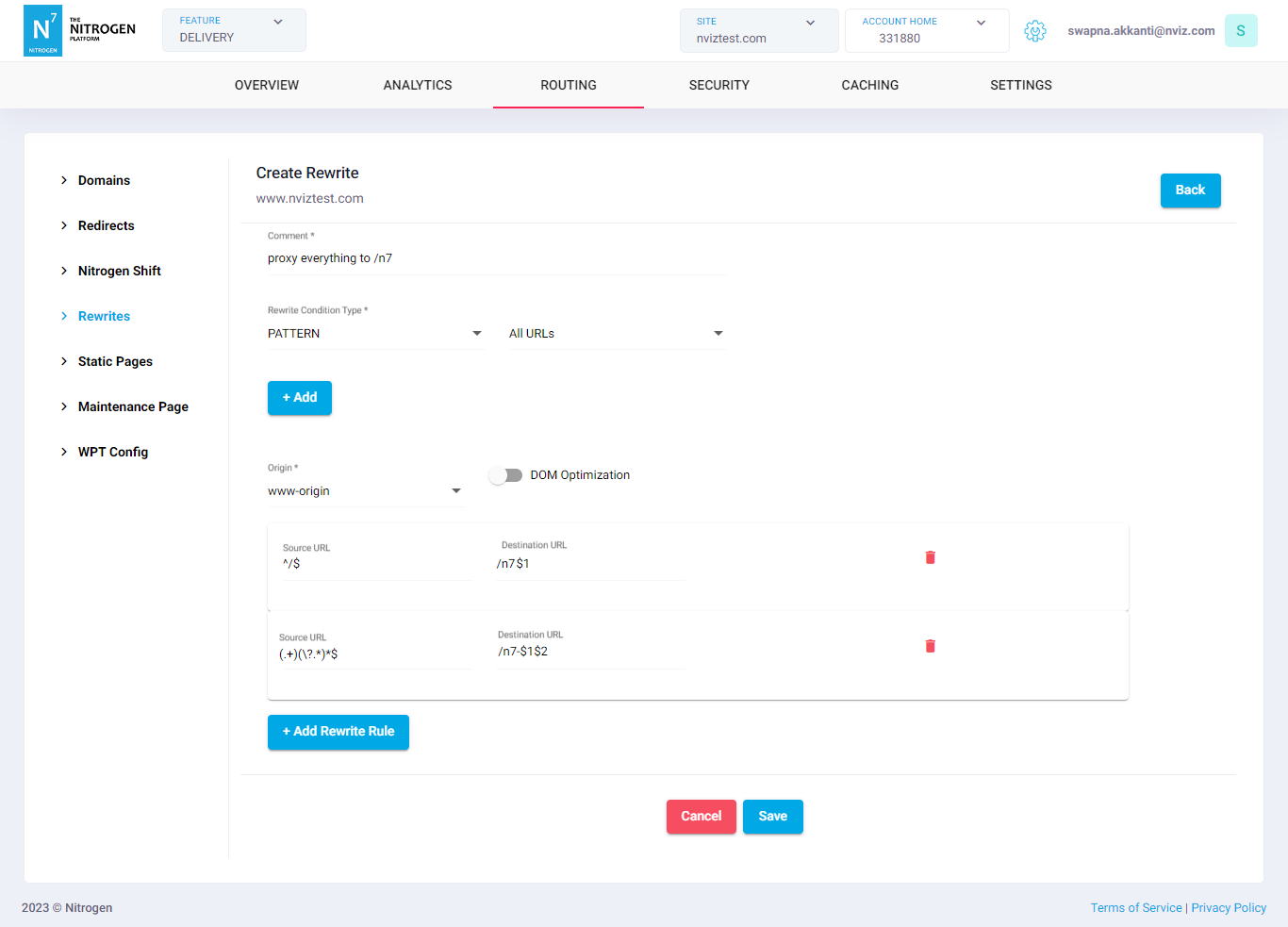
Click on
Savebutton. The configured rule will be showed inRewriteslist.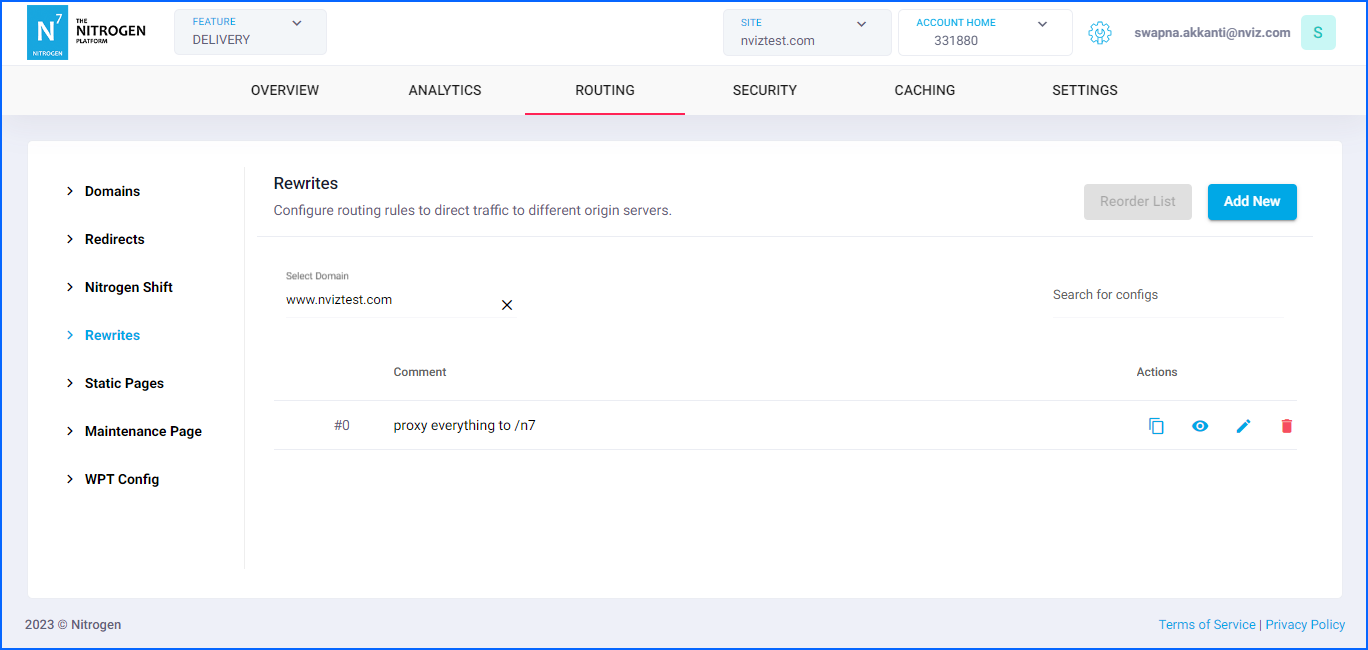
Notes#
If no rewrite rule is present, by default every request will be proxied to the 1st origin as it is.
The order of patterns is of utmost importance. The first matched rule gets applied. So, please manage the order accordingly.
Any rule when added, gets placed at the bottom. Use reorder to place it as per need.
These changes will only take effect when deployed. Saving them will only be saving them in draft. Please refer documentation about Deploy process for it.
When configuring the rewrite rules, a maximum of three conditions are allowed to be added to each rule.
Use Nitrogen debug header to identify which rule is getting applied to resource.