
Country conditions
This page will show you steps to configure conditions based on country from where request is originated These then can be used at multiple places such as rewrite/caching/blocking rules.Typical use-case is, you would want to set country based redirections.Note: For demo purpose, we will be using www.nviztest.com domain as an example. Here, we will be redirecting all requests from US to /us/.*
Prerequisite#
- You must have a domain configured on Nitrogen.
Steps#
Click on
Settingsmenu, and openCountry Conditionstab.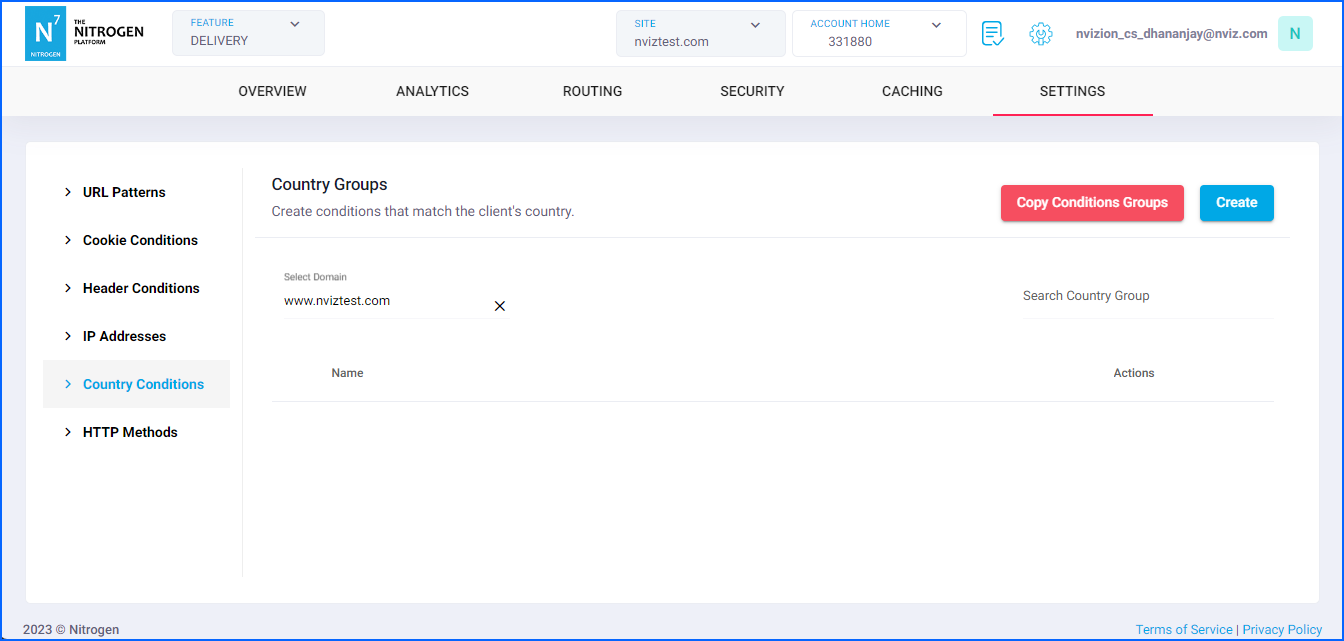
Click on
Createbutton.
You will now be taken to a screen to provide countries.Group Name: Provide short name about the condition you are creating.For now, putIP Blocklisthere. Note: Please keep the name meaningful and relevant.Click on
Add Countrybutton.Country: Select desired country from this dropdown. As an example, we will be selectingUShere.Note: You can multiple methods to the same condition by clicking onAdd Countrybutton.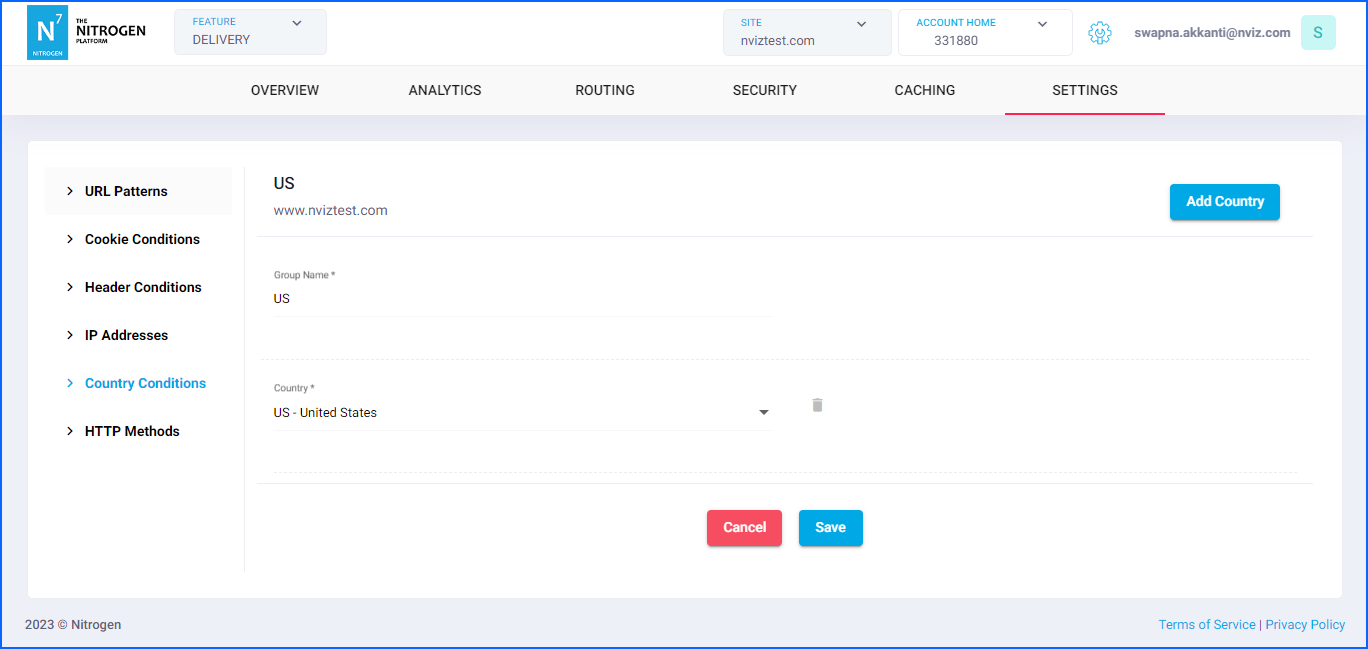
Click on
Savebutton. The configured pattern will be showed inCountry Groupslist.
You can now use this condition at many places such as rewrite/caching/blocking rules.
Notes#
- A Country conditions group that is currently in use cannot be edited. To make changes, you can either:
- Delete the rule that is using the Country conditions group, or
- Clone the existing group and create a new Country conditions group to use in your rules.