
URL patterns
This page will show you steps to configure request patterns. These then can be used at multiple places such as rewrite/caching/blocking rules.Typical use-case is, you would want to proxy a set of URLs to a certain endpoint, and then set caching specific to it.
e.g. You can proxy image requests to your static domain, and set 90 days caching for them. (This way also helps avoiding extra OPTIONS calls made by browser for the request being for other domain)Note: For demo purpose, we will be using www.nviztest.com domain as an example.Here, we will be defining a URL pattern for relative requests of global-uploads.webflow.com domain - to proxy them to that domain itself.
Prerequisite#
- You must have a domain configured on Nitrogen
Steps#
Click on
Settingsmenu. You will be seeingURL Patternstab.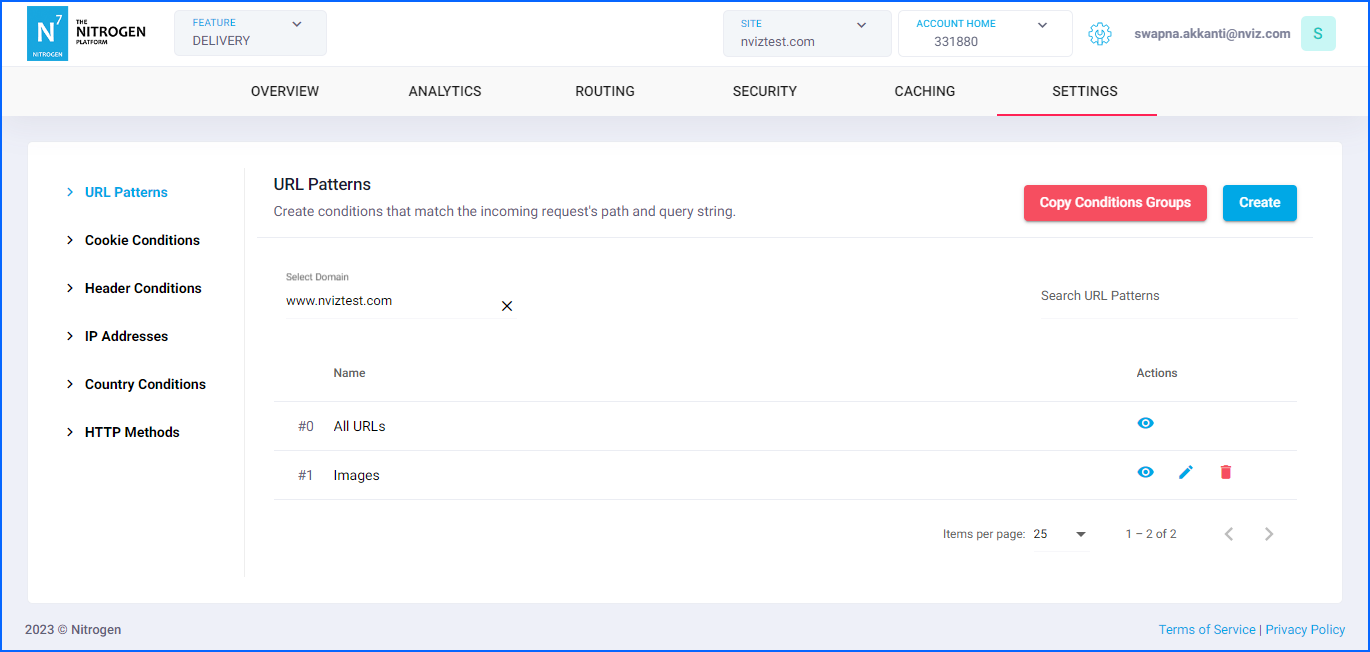
Select relevant domain from
Domaindropdown, and click onCreatebutton at top right corner.You will be taken to a screen to provide URL pattern details.Provide the required details:
Group Name: Provide short detail about the URL pattern.For now, putrelative /global-uploads.webflow.com/ requestshere. Note: Please keep the name meaningful and relevant.Pattern: It specifies the regex pattern for the request URL.We will be putting.*/global-uploads.webflow.com/.*hereEnable Full Regex Support: As we are using a regex, enable this flag. It can be kept disabled if you are matching absolute URLs.Ignore Case: Enable this flag if you want the match URL pattern without matching the case.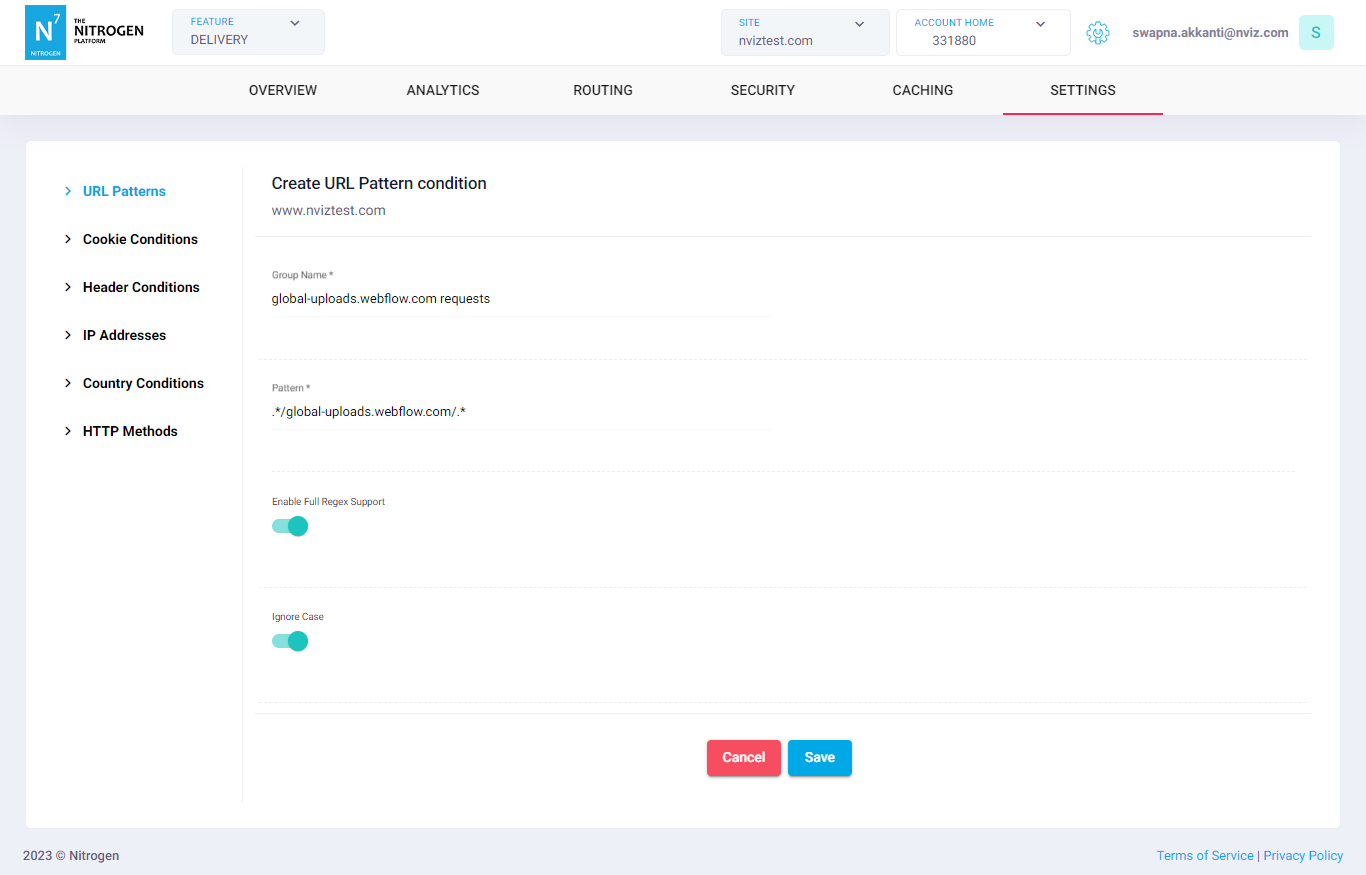
Click on
Savebutton. The configured pattern will be showed inURL Patternslist.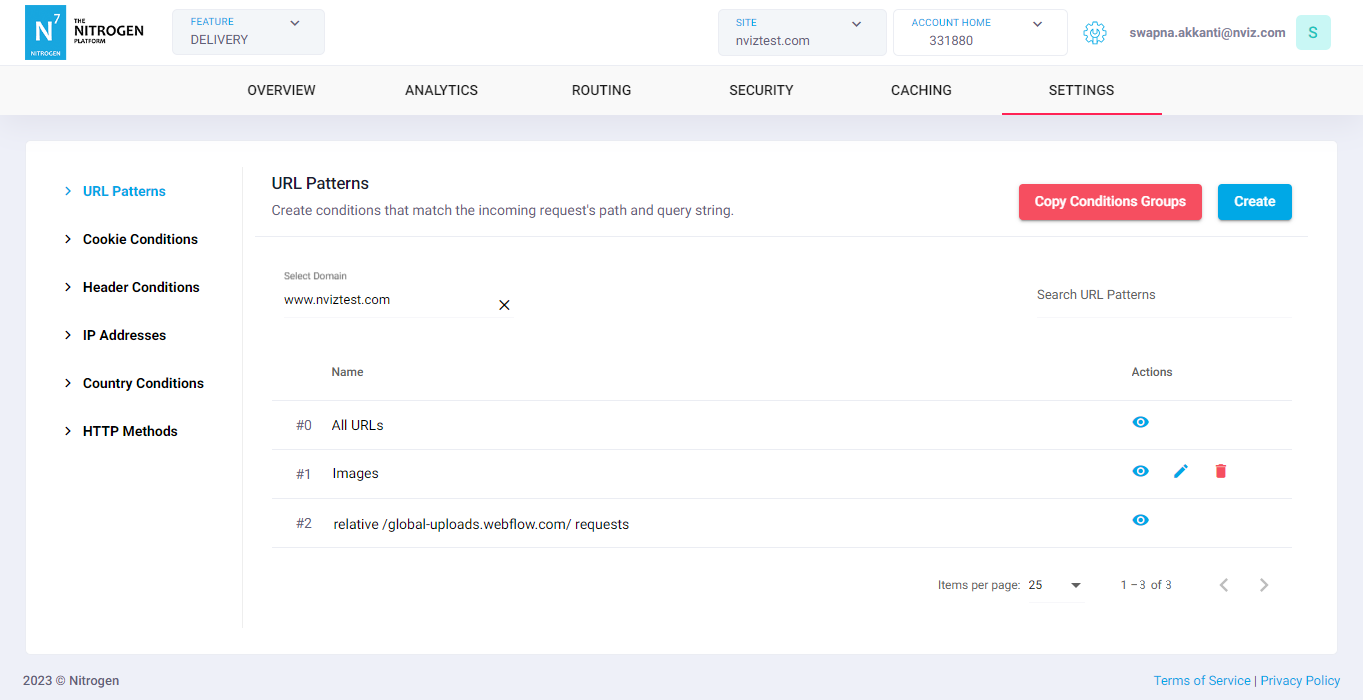
You can now use this URL pattern at many places such as rewrite/caching/blocking rules.
Notes#
- A URL pattern group that is currently in use cannot be edited. To make changes, you can either:
- Delete the rule that is using the URL pattern group, or
- Clone the existing group and create a new URL pattern group to use in your rules.