
Steps to test the website on Nitrogen without pointing the CNAME to Nitrogen
You can validate your website on Nitrogen by changing the host file entry; with which the traffic from your laptop will flow through the Nitrogen platform, while the rest of the world will continue to use the current live site.
Prerequisite#
- You must have an account on Nitrogen
- You must have some domain registered on Nitrogen.
Steps#
Please follow the steps shown in this link to do it as per the type of your system.
Below hosts file needs to be added at your end with the respective domain name, and the Nitrogen IP shared with you.(For now we will use
www.nviztest.comas example domain)151.101.1.91 www.nviztest.comIn Windows, it will look like this :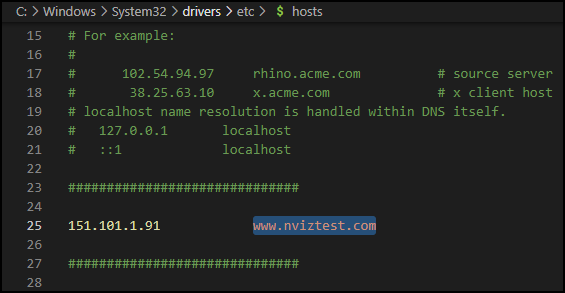
PFB steps to verify if it was done correctly :
Close all the browser tabs having your domain open
Open
https://www.nviztest.com/in incognitoYou may get below error-page :
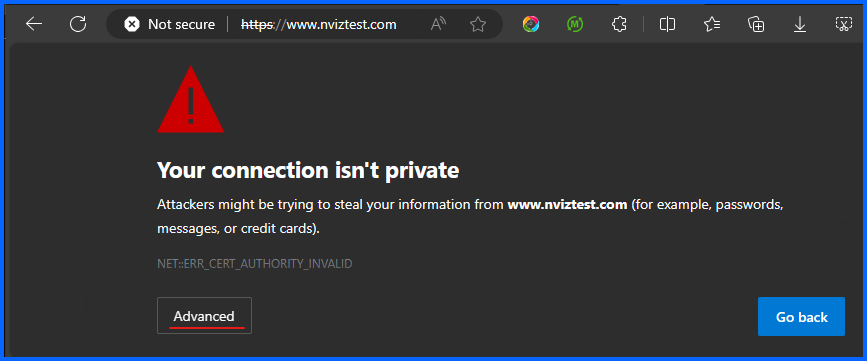
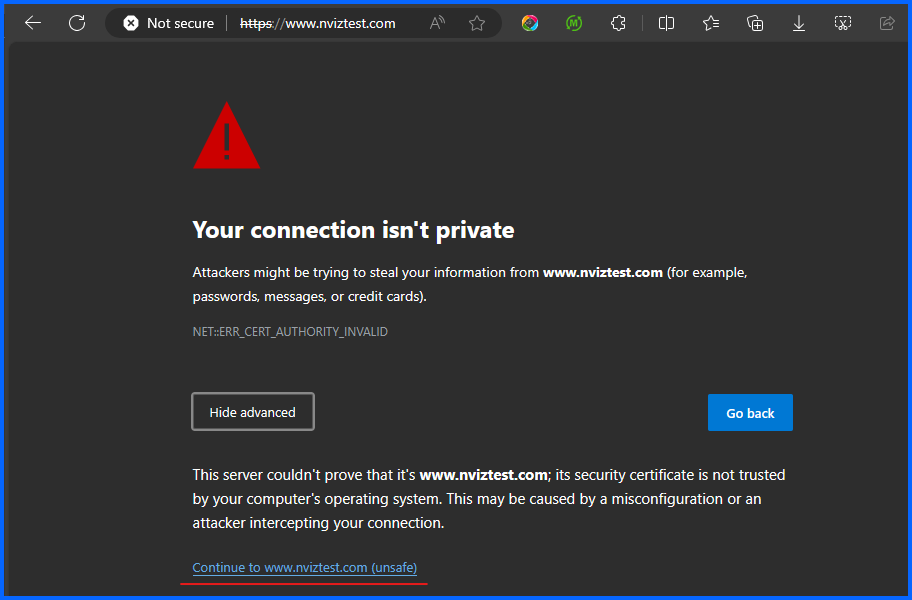
Click on ‘Advanced’ then click on ‘Continue’. Website should load properly now.
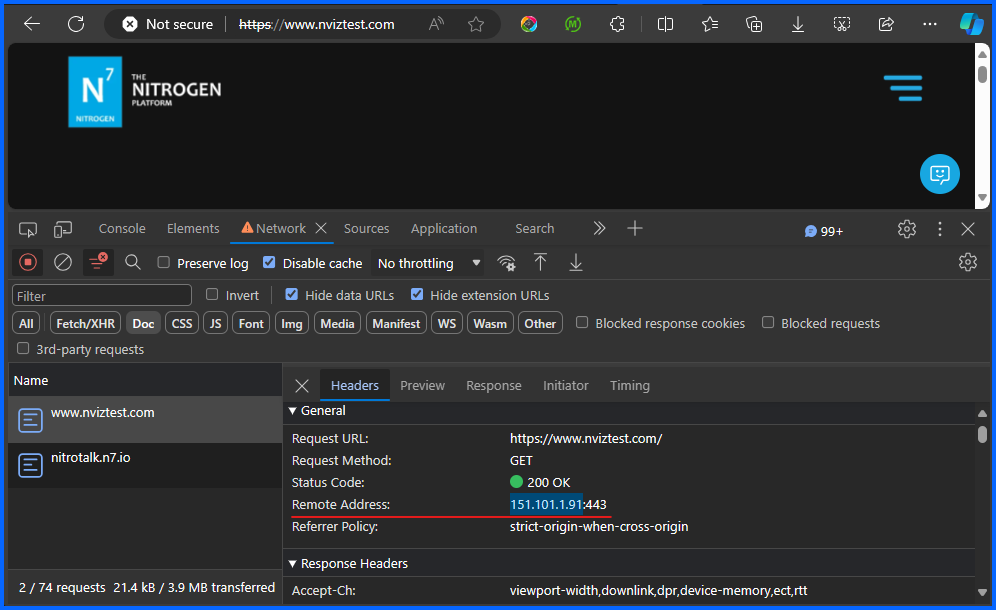
Right click on page and click ‘Inspect’
Click on
NetworktabClick on
Docsub tabRefresh page
Click on first entry for
www.nviztest.comIn ‘Remote Address’ you should now see the Same IP that was added in hosts file
To switch back to live site after your testing :
Close all the browser tabs having
www.nviztest.comopenJust remove the hosts file entry added for
NitrogenIP>www.nviztest.comOR you can also comment the entry by putting # at the beginning of that line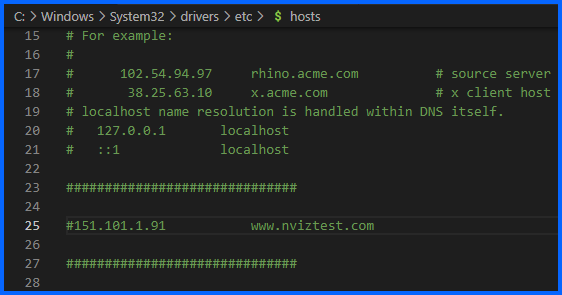
Open your domain in browser
Check the Remote address IP. You should now see your old server IP there.
If it still does not reflect – clear browser history, reopen browser, and try again