
Condition Group
Routing conditions can be applied to URLs for routing through the SERA for domains that use the N7 DELIVERY module. Please deploy your domain using the History for these changes to take effect.
Follow these steps to configure conditional group.
NOTE: This section only for N7 clients, for non-N7 clients please refer the instructions
For demo purpose, we will be using example.com domain as an example.
Prerequisite#
- You must have a domain configured on Nitrogen.
- You must have at least one page group created.
- You must have Header and Pattern conditions created. If not, you can refer (Header and URL Patterns ).
Steps#
Click on
Rulessection, then selectCondition Groups.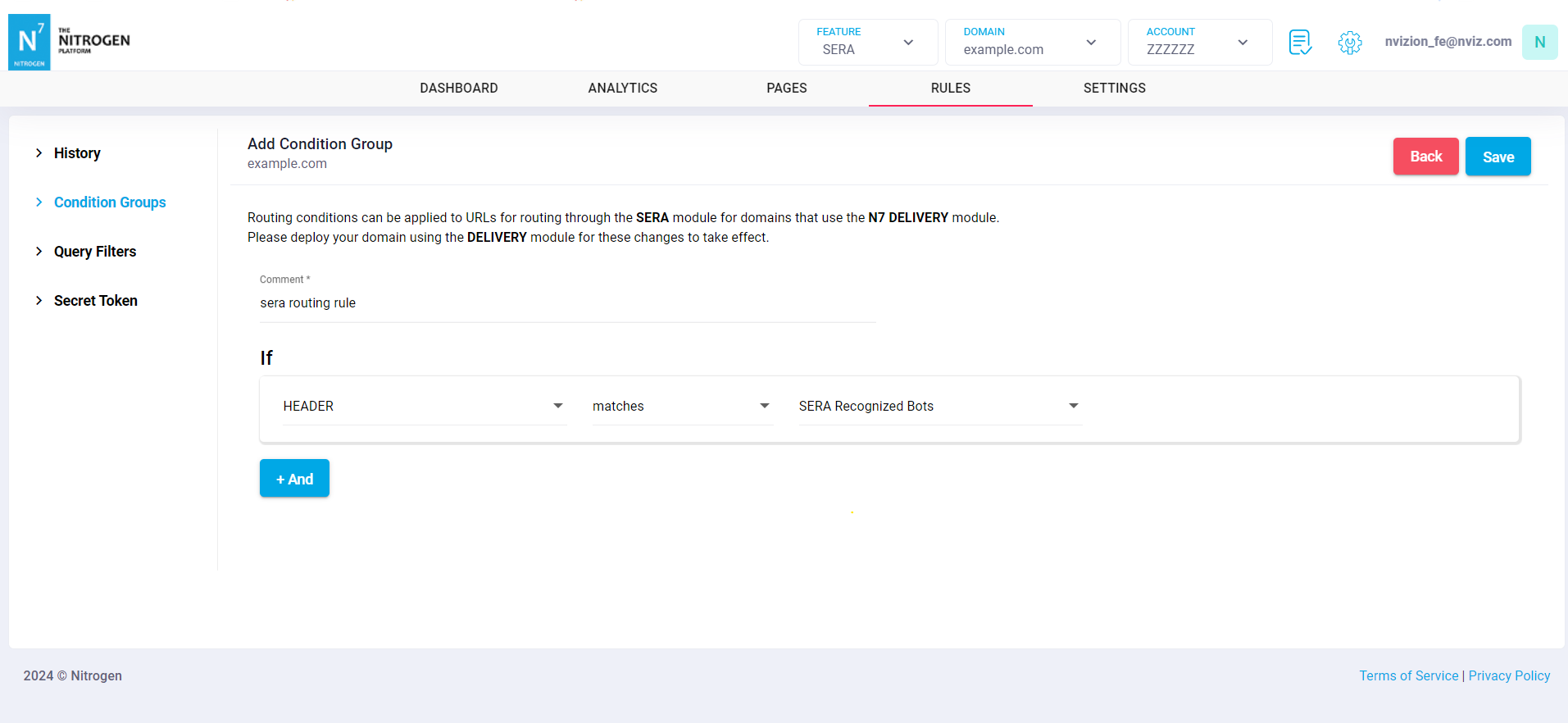
Click on
Add Newbutton at top right cornerProvide the required details:Enter Condition Group Name: Add a meaningful condition group name.IfConditionSelect
Headerfrom the dropdown.Select Condition as
matchesfrom the dropdown.Select the configured
Header group patterncreated for bots refer this .ANDSelect
Patternfrom the dropdown.Select Condition as
not matchesfrom the dropdown.Select the configured
URL Patterncreated for non SERA requests refer this .
Click on
Savebutton. once you saved it will show an alert to deploy the changes, click on history and deploy the changes. The configured rule will be added inCondition Groupslist.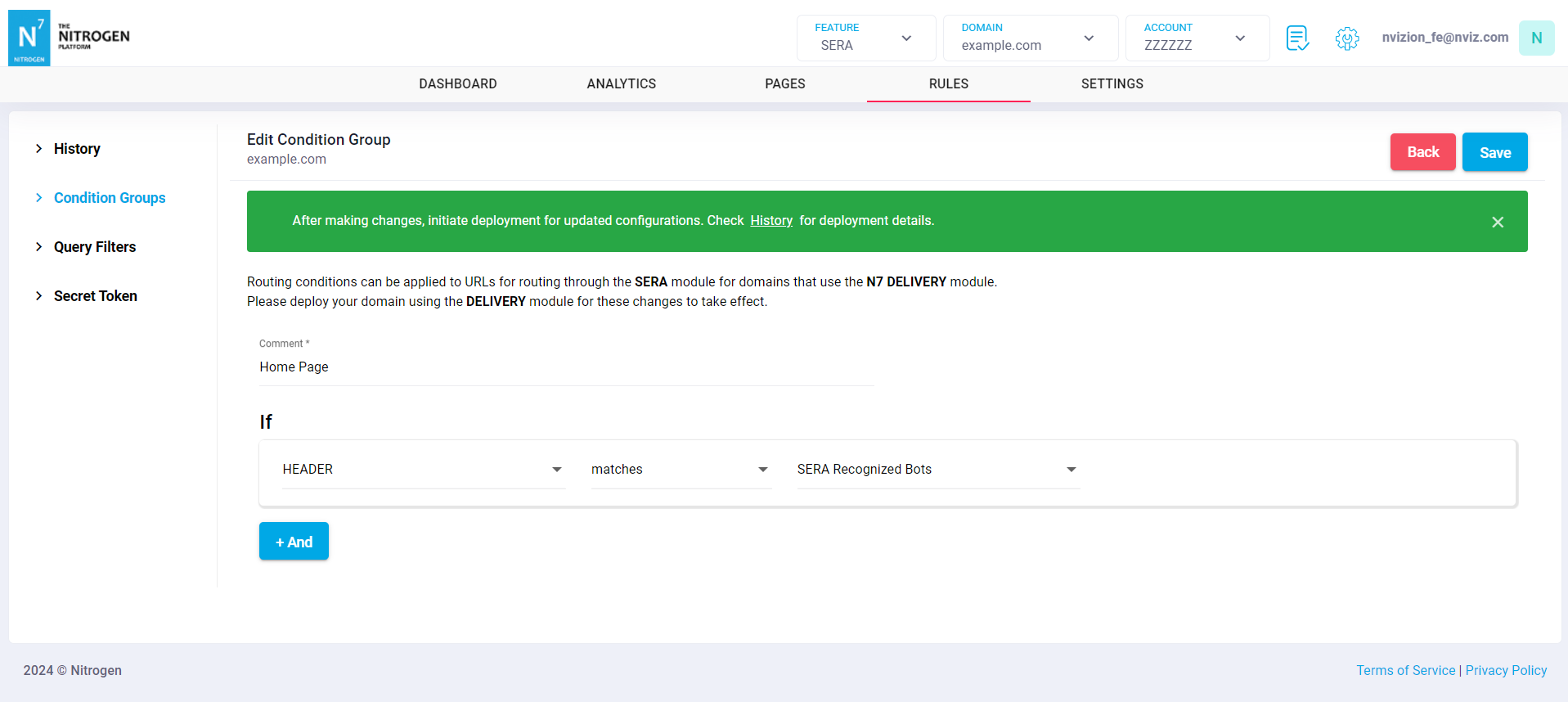
Condition Groups listing page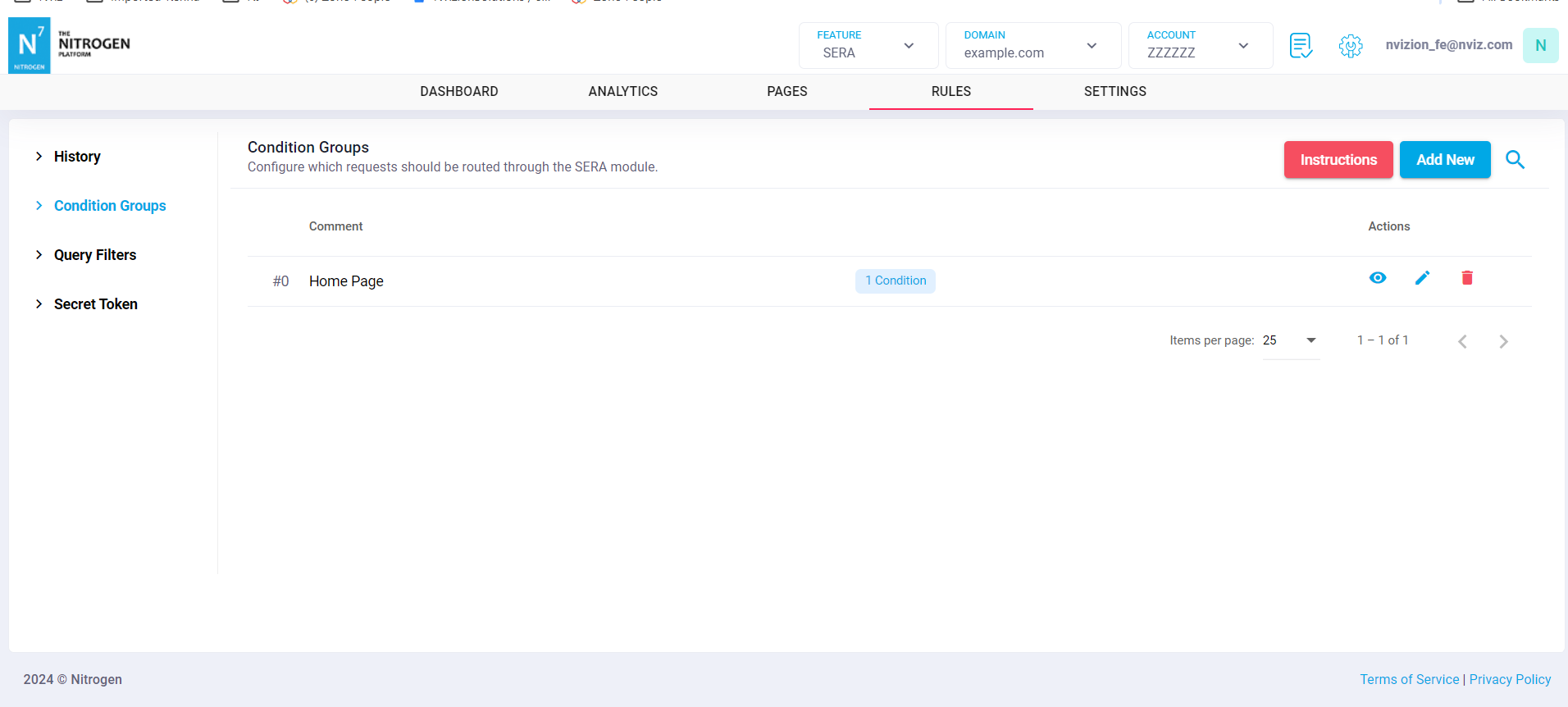
Notes#
These changes will only take effect when deployed. Saving them will only be saving them in draft. Please refer documentation about Deploy process for it.