
Header conditions
This section shows the steps to configure header based condition.Typical use-case is, you would want to pass all the bots requests to sera.n7.io
.Here, you can achieve it by providing all Bot patterns by setting the value of user-agent request header.Note: Header conditions will work only on request-headers.For demo purpose, we will be using example.com domain as an example. Here, we will only be using googlebot and bingbot user-agent for simplicity.
Prerequisite#
- You must have a domain configured on Nitrogen.
Steps#
Click on
Settingsmenu, and openHeader Conditionstab.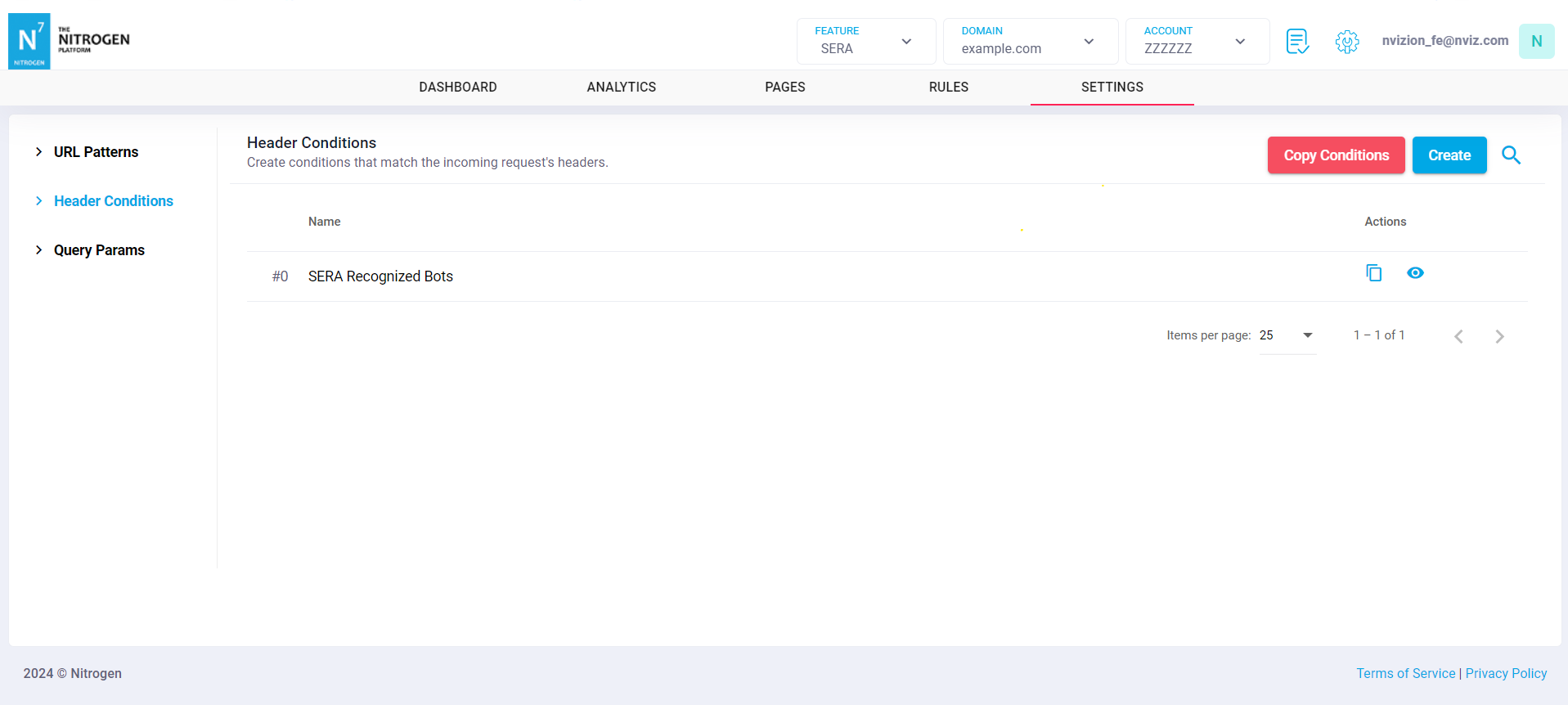
Click on
Createbutton.
You will now be taken to a screen to provide header details.Group Name: Provide short name about the header condition.For example , you can provide a meaningful name likeSera Bots.Header Name: Enter the request-header name asuser-agentHeader value: Enter a regex expression here that should be matched for the required bots to be passed through SERA.For example,(?i)(googlebot|bingbot|yandex|baiduspider|facebookexternalhit|twitterbot|rogerbot|linkedinbot|embedly|quora\ link\ preview|showyoubot|outbrain|pinterest/0.|pinterestbot|slackbot|vkShare|W3C_Validator|whatsapp|redditbot|applebot|flipboard|tumblr|bitlybot|skypeuripreview|nuzzel|discordbot|google\ page\ speed|qwantify|bitrix\ link\ preview|xing-contenttabreceiver|chrome-lighthouse|telegrambot|google-inspectiontool)Note: By default header value match is case-insensitive.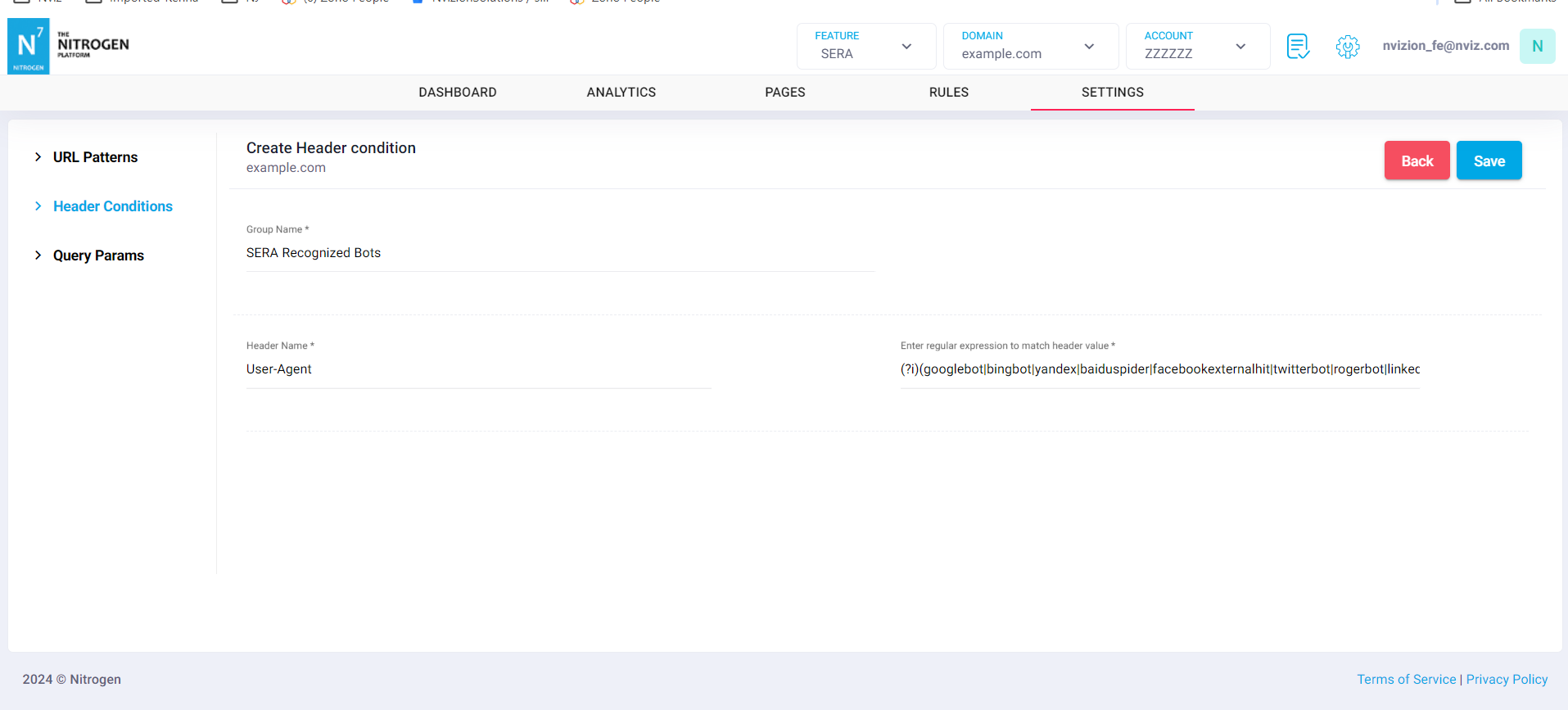
Click on
Savebutton. The configured pattern will be showed inHeader conditionslist.
You can now use this condition at many other places such as Condition Groups.